> For the complete documentation index, see [llms.txt](https://docs.avonnicomponents.com/llms.txt). Markdown versions of documentation pages are available by appending `.md` to page URLs; this page is available as [Markdown](https://docs.avonnicomponents.com/flow/flow-components/qr-code.md).
# QR Code
The Avonni QR Code displays scannable QR codes within flows, enabling easy access and information sharing.
## Overview
The QR Code component generates a scannable QR code from any text value — a URL, a record ID, a product code, or any string from your flow. Users can scan it with a mobile device to open a link or retrieve information instantly.
***
## Tutorials
| Name | Description | Illustration |
| -------------------------------------------------------------------------------------------------------------------------- | ---------------------------------------------------------------------------- | -------------------------------------------------------------------------------------------------------------------------------------------------------------------------------------------------------------------- |
| [**Generate a QR Code from a record field**](/flow/tutorials/components/qr-code/generate-a-qr-code-from-a-record-field.md) | Explore how to convert any Salesforce record field into a scannable QR Code. |  |
***
## Configuration
To configure it, click the component on the Flow screen. The Edit QR Code Component panel opens on the right with two tabs: Properties and Style. The sections below mirror the Properties tab.
### Properties
| Setting | What It Does |
| --------- | ----------------------------------------------------------------------------------------------------------------------------------- |
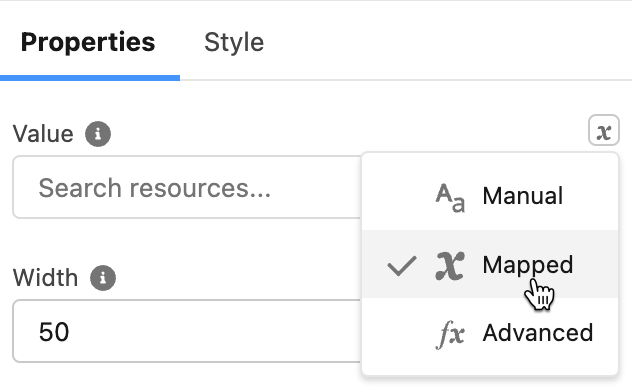
| **Value** | The text encoded into the QR code. Enter a URL, record field value, or any text directly, or map it to a flow variable or resource. |
| **Width** | Maximum width of the QR code image in pixels. |
### Advanced Options
| Setting | What It Does |
| -------------------- | ------------------------------------------------------------------------------------------------------------------------------------------------------------------------- |
| **Encoding** | The character encoding mode: **ISO 8859-1** (default, supports Latin characters) or **UTF-8** (supports all Unicode characters, including accented and non-Latin text). |
| **Error Correction** | How much of the code can be damaged and still scan correctly: **L** (default, \~7%), **M** (\~15%), **Q** (\~25%), or **H** (\~30%). Higher levels produce a denser code. |
| **Alternative Text** | Accessible text describing the QR code for screen readers. |
***
## Styling
The **Style** tab gives you fine-grained control over the QR Code's appearance. Configure it from the **Style** tab of the Edit QR Code panel.
{% tabs %}
{% tab title="Margin" %}
Controls the *outer* spacing around the QR code, creating space between it and other elements on the screen.
* **Top / Right / Bottom / Left:** Adjust the space on each side.
{% endtab %}
{% tab title="Padding" %}
Controls the *inner* spacing between the QR code and its edges.
* **Top / Right / Bottom / Left:** Adjust the inner spacing on each side.
{% endtab %}
{% tab title="Border" %}
Customizes the border surrounding the QR code.
* **Color:** Set the border color.
* **Size:** Adjust the border thickness.
* **Style:** Choose a border style (e.g. solid, dashed, dotted).
* **Radius:** Control the roundness of the corners.
{% endtab %}
{% tab title="Color" %}
Sets the QR code colors.
* **Color:** Set the foreground (module) color of the QR code.
* **Background Color:** Set the background color behind the QR code modules.
{% endtab %}
{% endtabs %}
---
# Agent Instructions
This documentation is published with GitBook. GitBook is the documentation platform designed so that both humans and AI agents can read, navigate, and reason over technical content effectively. Learn more at gitbook.com.
## Querying This Documentation
If you need additional information that is not directly available in this page, you can query the documentation by asking a question.
Perform an HTTP GET request on the following URL with the `ask` and `goal` query parameters:
```
GET https://docs.avonnicomponents.com/flow/flow-components/qr-code.md?ask=&goal=
```
`ask` is the immediate question: it should be specific, self-contained, and written in natural language.
`goal` is what the user is ultimately trying to achieve, the reason they need the answer. Sharing it helps GitBook give you a better, more relevant answer. A goal is most helpful when it describes the outcome the user wants rather than restating the question. For example, with `ask=how do I create an API token`, a goal like `automate deployments from our CI pipeline` lets GitBook tailor the answer to that use case.
The response will contain a direct answer to the question and relevant excerpts and sources from the documentation.
Use this mechanism when the answer is not explicitly present in the current page, you need clarification or additional context, or you want to retrieve related documentation sections.
.avif?alt=media)