# SObject Collection to Text Collection

## Overview

This action helps you extract text values from a collection of Salesforce records (SObjects) and create a new collection containing only those text values.

## **How it Helps**

Imagine you have a collection of Contacts and need to create a list of their email addresses. This action lets you easily extract the "Email" field from each Contact record and create a new collection containing just the email addresses.

## **When to Use It**

This action is ideal for:

* **Creating a focused list of text values from your records.**
* **Simplifying data manipulation and extraction.**
* **Preparing data for use in components that require text collections (e.g., picklists, multi-select lists).**
* **Avoiding manual extraction of text values using loops or formulas.**

## **Example**

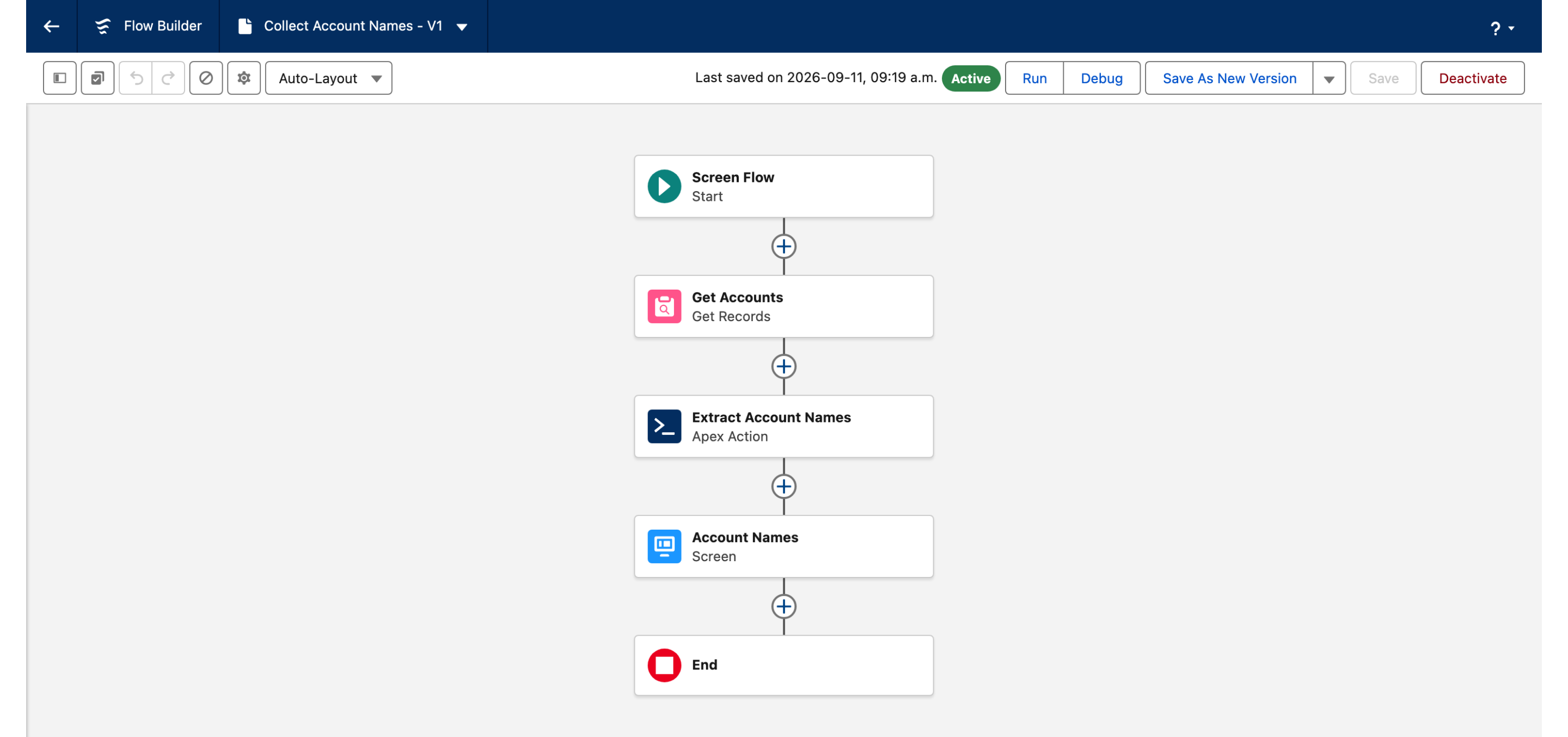
To create a collection of Account names:

1. **Retrieve Accounts:** Use a "Get Records" element to fetch a collection of Account records.
2. **Configure the Action:** Select the Account collection and specify "Name" as the field name.
3. **Store the Text Collection:** Store the output in a Text Collection variable for use in your flow.

## **Key Considerations**

* **Source Collection:** Ensure you have a valid collection of SObjects.
* **Field Name:** Choose the field that contains the text values you want to extract


---

# Agent Instructions: Querying This Documentation

If you need additional information that is not directly available in this page, you can query the documentation dynamically by asking a question.

Perform an HTTP GET request on the current page URL with the `ask` query parameter:

```
GET https://docs.avonnicomponents.com/flow/actions/data-manipulation-and-transformation/sobject-collection-to-text-collection.md?ask=<question>
```

The question should be specific, self-contained, and written in natural language.
The response will contain a direct answer to the question and relevant excerpts and sources from the documentation.

Use this mechanism when the answer is not explicitly present in the current page, you need clarification or additional context, or you want to retrieve related documentation sections.
