> For the complete documentation index, see [llms.txt](https://docs.avonnicomponents.com/llms.txt). Markdown versions of documentation pages are available by appending `.md` to page URLs; this page is available as [Markdown](https://docs.avonnicomponents.com/flow/flow-components/alert.md).
# Alert
The Avonni Alert component is a simple way to display important messages to users. Think of it like a helpful notification that grabs their attention when something needs to be highlighted.
The Avonni Alert displays a contextual message banner to users — for information, warnings, errors, or offline states. Use it whenever you need to communicate status or guidance clearly on a Flow screen.
***
## Overview
The Alert adapts its look to the nature of the message through variants. It supports rich text content, an optional Lightning Design System icon, and can be made dismissible so users can close it when they have read it.
***
## Tutorials
The following examples demonstrate some of the available functionality for the Alert component.
***
## Configuration
To configure it, click the component on the Flow screen. The Edit Alert Component panel opens on the right with two tabs: Properties and Style. The sections below mirror the Properties tab.
### Properties
**Variant** controls the visual style and the meaning of the message:
| Variant | When to Use |
| ----------- | ---------------------------------------------------------------- |
| **Base** | Neutral or informational notices — no urgency implied. |
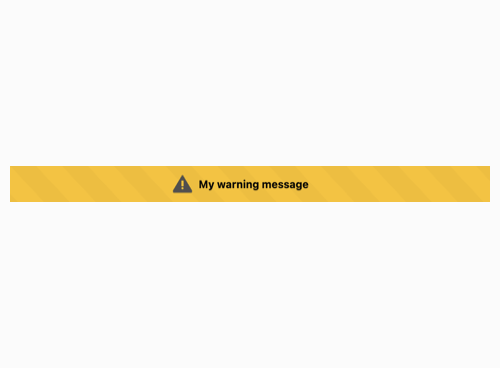
| **Warning** | Important information that deserves caution but is not an error. |
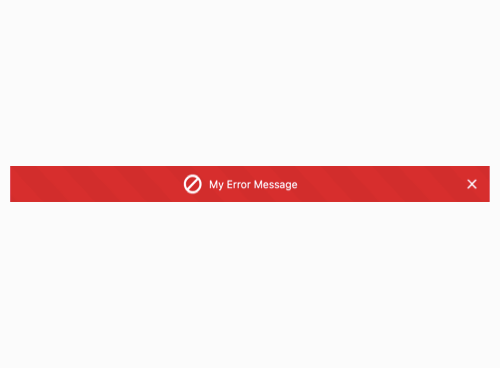
| **Error** | System errors or problems requiring immediate attention. |
| **Offline** | Inform users they are not currently connected to the internet. |
Base variant
Warning variant
Error variant
Offline variant
**Content** is the message body. Rich text formatting is supported — bold, italic, and links can be used here.
**Icon Name** adds a Lightning Design System icon alongside the content. Specify it in the format `utility:info`. **Icon Size** controls how large the icon appears: XX-Small, X-Small, Small, Medium, or Large.
**Textured** applies a subtle texture to the alert background, giving it a more distinctive appearance.
**Is Dismissible** shows a close button so users can manually dismiss the alert. Enable this when the message is informational and users should be able to move past it.
***
## Styling
The **Style** tab gives you fine-grained control over the Alert's appearance, overriding the default variant styles. Configure it from the **Style** tab of the Edit Alert panel.
{% tabs %}
{% tab title="Margin" %}
Controls the *outer* spacing around the alert, creating space between it and other elements on the screen.
* **Top / Right / Bottom / Left:** Adjust the space on each side of the alert.
{% endtab %}
{% tab title="Padding" %}
Controls the *inner* spacing between the alert's content (text and icon) and its border.
* **Top / Bottom / Left / Right:** Adjust the inner spacing on each side.
{% endtab %}
{% tab title="Size" %}
Controls the alert's dimensions.
* **Width / Height:** Set fixed dimensions for the alert.
* **Min Width / Max Width / Min Height / Max Height:** Constrain the size within bounds.
* **Overflow:** Control how content that exceeds the bounds is handled.
{% endtab %}
{% tab title="Border" %}
Customizes the border surrounding the alert.
* **Color:** Set the border color.
* **Size:** Adjust the border thickness.
* **Style:** Choose a border style (e.g. solid, dashed, dotted).
* **Radius:** Control the roundness of the corners.
{% endtab %}
{% tab title="Background" %}
Sets the alert's background. **Color** is set per variant (Base, Warning, Error, Offline).
* **Color:** Set the background color.
* **Linear Gradient:** Apply a gradient background image.
{% endtab %}
{% tab title="Text" %}
Styles the alert message text. **Color** is set per variant (Base, Warning, Error, Offline).
* **Color:** Set the text color.
* **Font Size / Font Style / Font Weight:** Control the message typography.
* **Horizontal Alignment:** Align the text within the alert.
* **Line Clamp:** Limit the message to a maximum number of lines.
{% endtab %}
{% tab title="Icon" %}
Styles the icon within the alert. Colors are set per variant (Base, Warning, Error, Offline).
* **Background Color:** Set the icon's background color.
* **Foreground Color:** Set the icon's color.
* **Foreground Color Close Icon:** Set the color of the close (dismiss) icon, when **Is Dismissible** is enabled.
{% endtab %}
{% endtabs %}
---
# Agent Instructions
This documentation is published with GitBook. GitBook is the documentation platform designed so that both humans and AI agents can read, navigate, and reason over technical content effectively. Learn more at gitbook.com.
## Querying This Documentation
If you need additional information that is not directly available in this page, you can query the documentation dynamically by asking a question.
Perform an HTTP GET request on the current page URL with the `ask` query parameter, and the optional `goal` query parameter:
```
GET https://docs.avonnicomponents.com/flow/flow-components/alert.md?ask=&goal=
```
`ask` is the immediate question: it should be specific, self-contained, and written in natural language.
`goal` is optional and describes the broader end goal you are ultimately trying to accomplish on behalf of the user. GitBook uses it to tailor the answer towards what is most useful for that goal.
The response will contain a direct answer to the question and relevant excerpts and sources from the documentation.
Use this mechanism when the answer is not explicitly present in the current page, you need clarification or additional context, or you want to retrieve related documentation sections.
.avif?alt=media)