> For the complete documentation index, see [llms.txt](https://docs.avonnicomponents.com/llms.txt). Markdown versions of documentation pages are available by appending `.md` to page URLs; this page is available as [Markdown](https://docs.avonnicomponents.com/flow/tutorials/projects/create-a-clickable-map-with-details-information.md).
# Create a Clickable Map with Details information
## Overview
Get ready to build an awesome interactive map! In this tutorial, you'll discover how to make a visualization that responds to your clicks and how to display detailed information about locations at the click of a button.
### **By the end of this tutorial, you'll know how to:**
* **Understand the building blocks:** Learn about the special components that make this magic happen (don't worry, we'll explain it all!).
* **Create a custom map:** Learn how to plot locations and information on a map that's uniquely yours.
* **Make it interactive:** Make your map come alive! We'll show you how to reveal extra details when you click on a map marker.
### Illustrations
Final Result
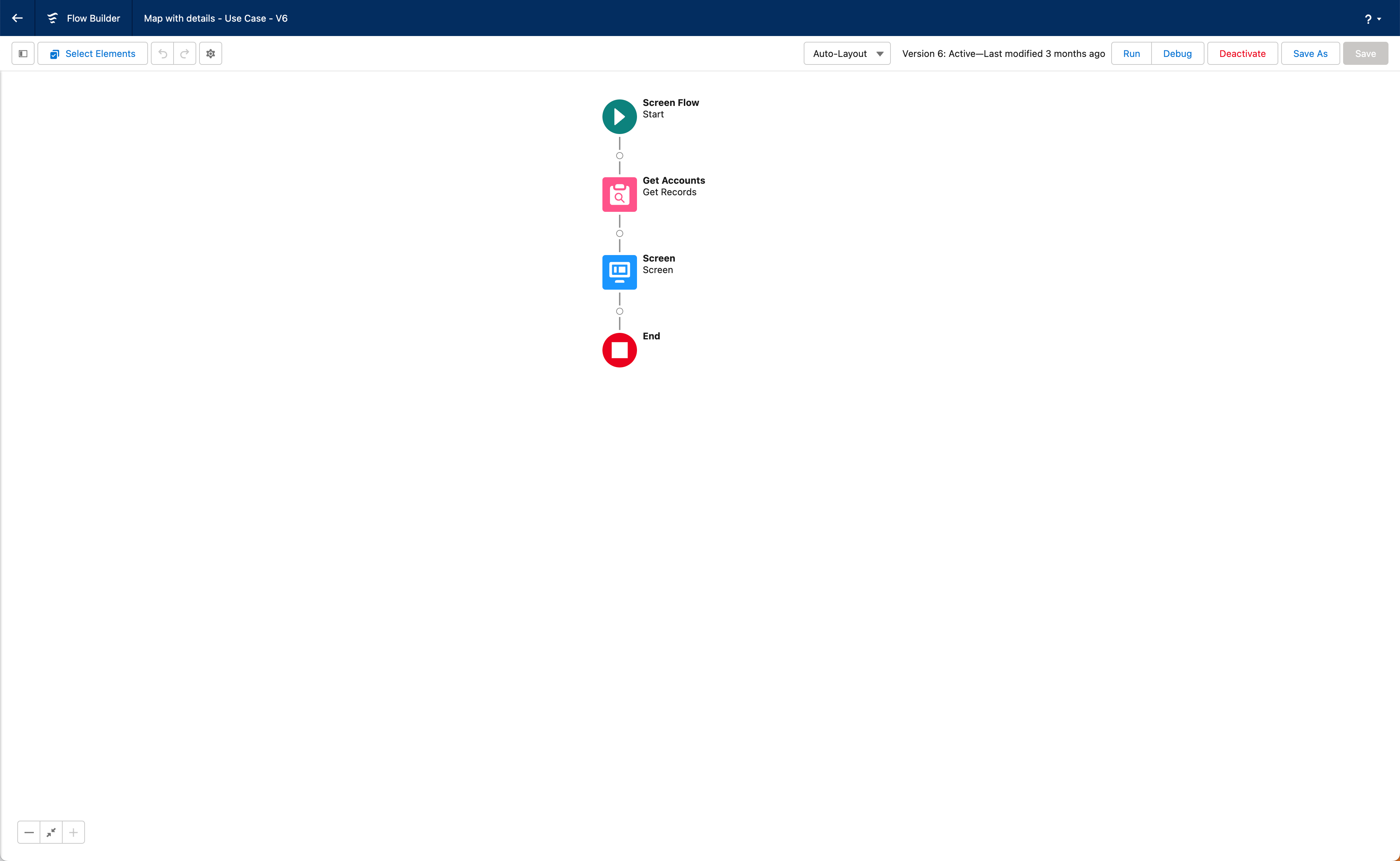
Flow Builder structure overview
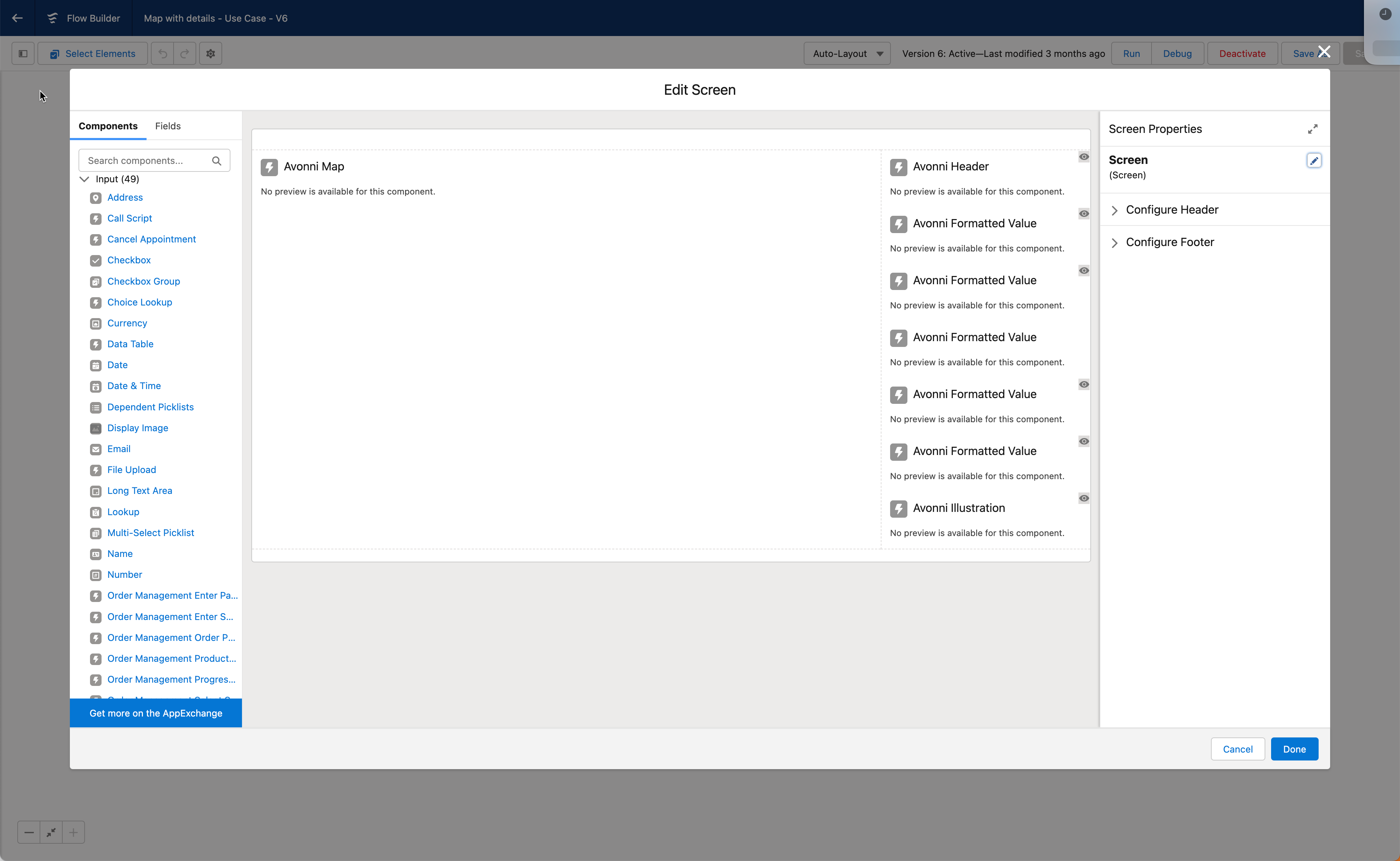
Screen element overview
## Guided Steps
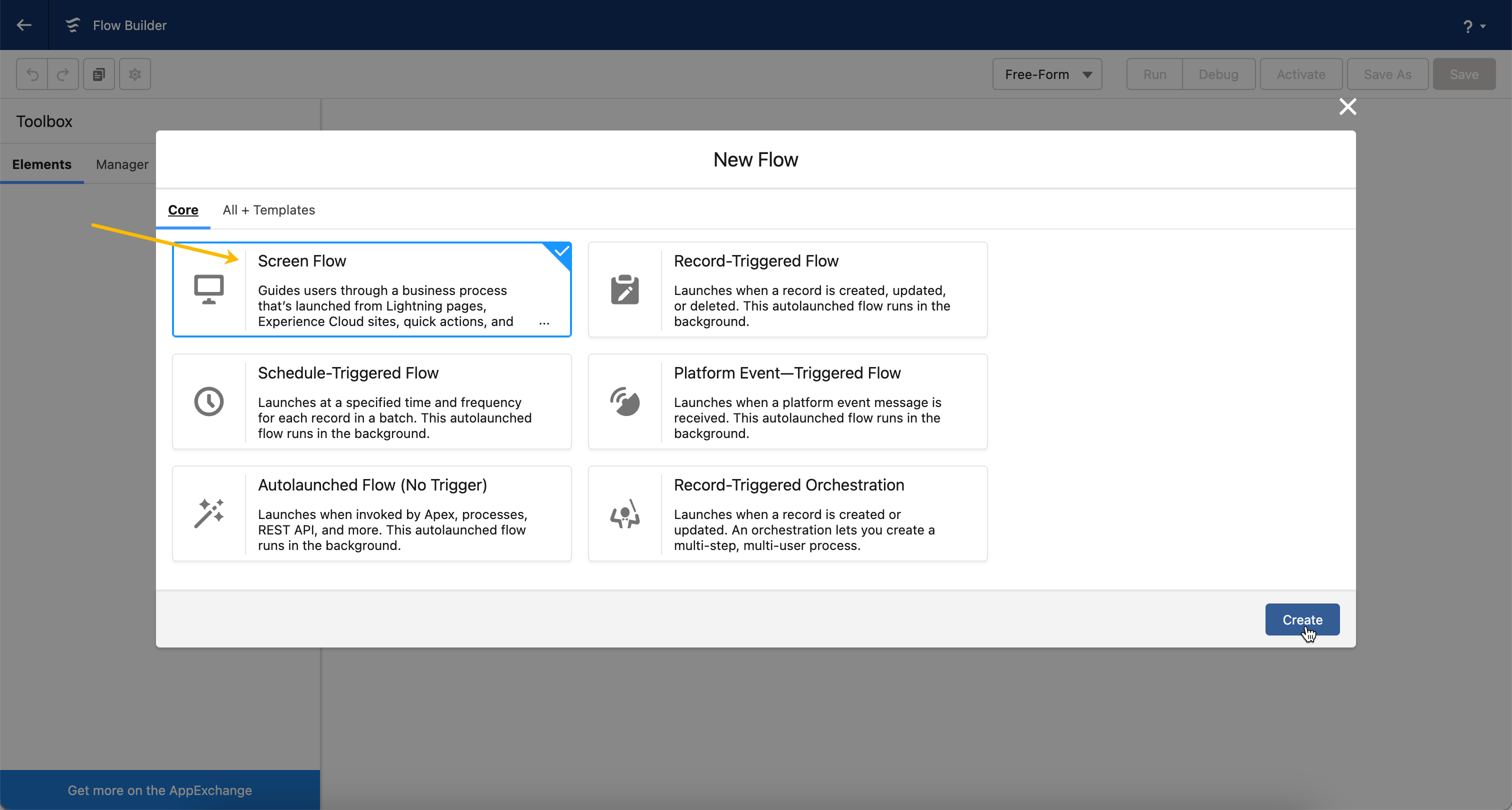
### 1️⃣ Create your new Screen Flow
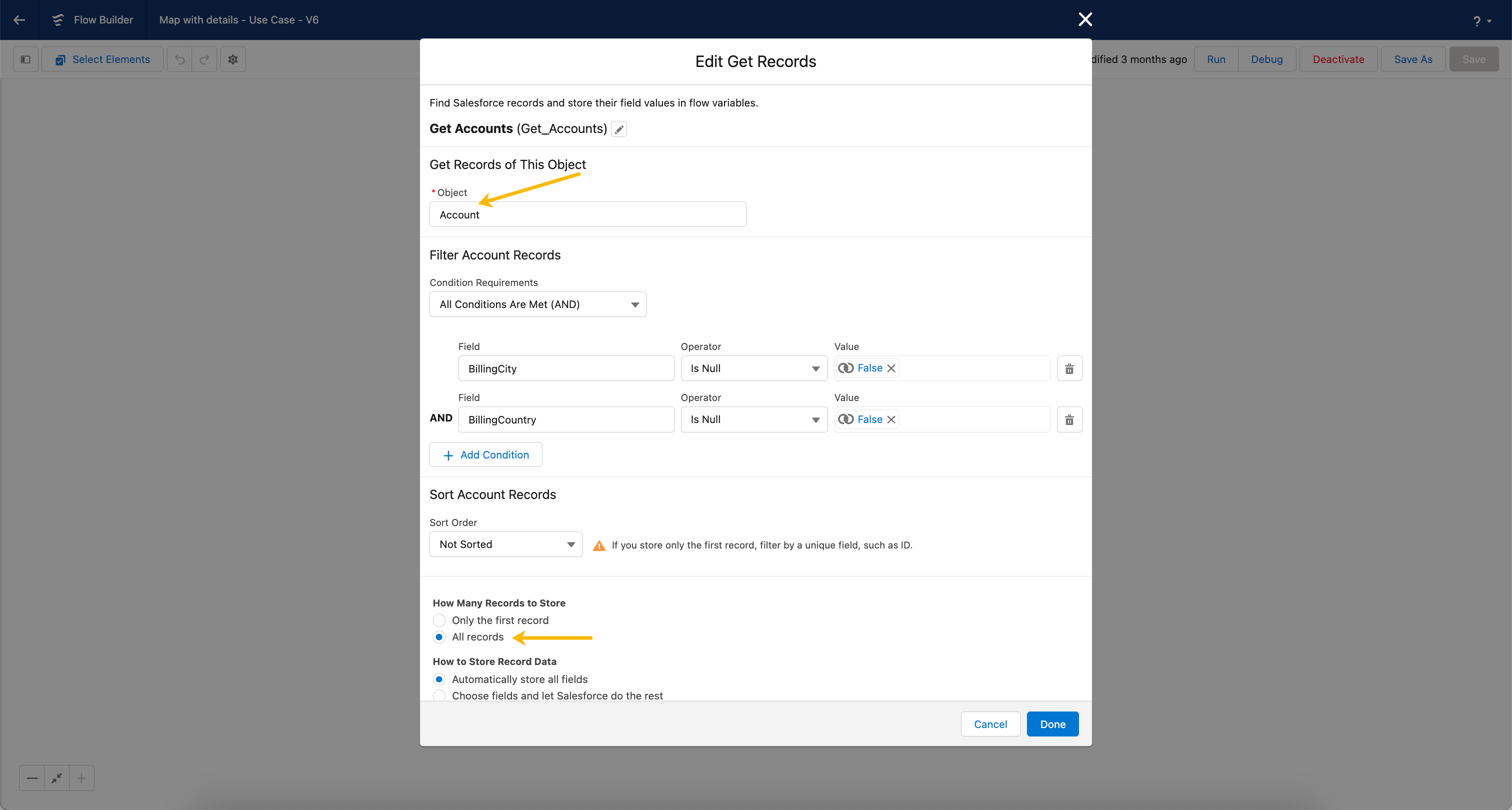
### 2️⃣ Create your Get Records collection
It's important to establish a foundation by creating a "**Get Records Collection**." This initial step fetches the account records information, which will be visualized in the Avonni Map.
Essentially, the Get Records Collection serves as the data source for our component. It pulls account fields from Salesforce, which are then used to generate map markers based on their associated geographic information.
{% hint style="info" %}
Based on your use case, add filters if needed to display only specific accounts.
{% endhint %}
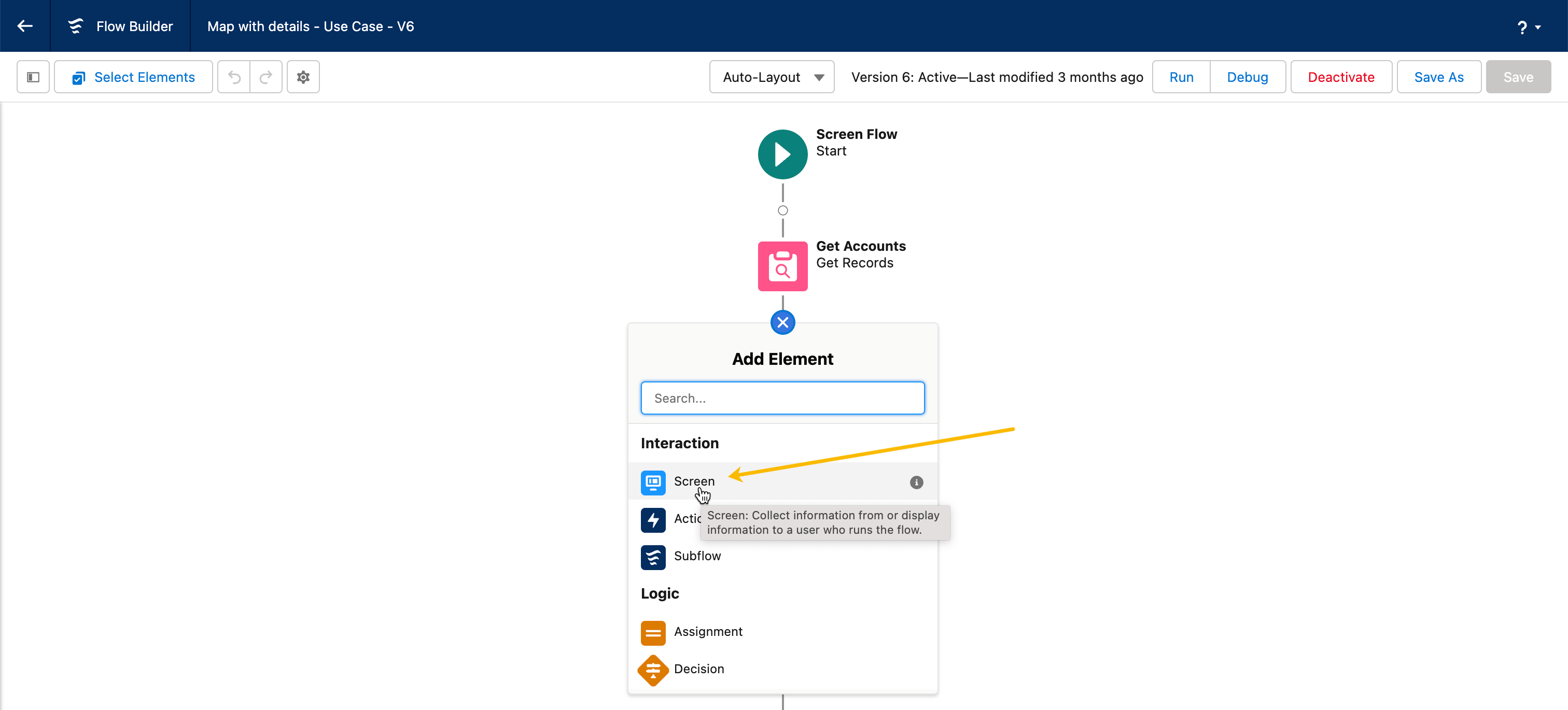
### 3️⃣ Add Screen Element
The next step is adding a screen element to our flow. This is where our custom component's user interface (UI) comes to life.
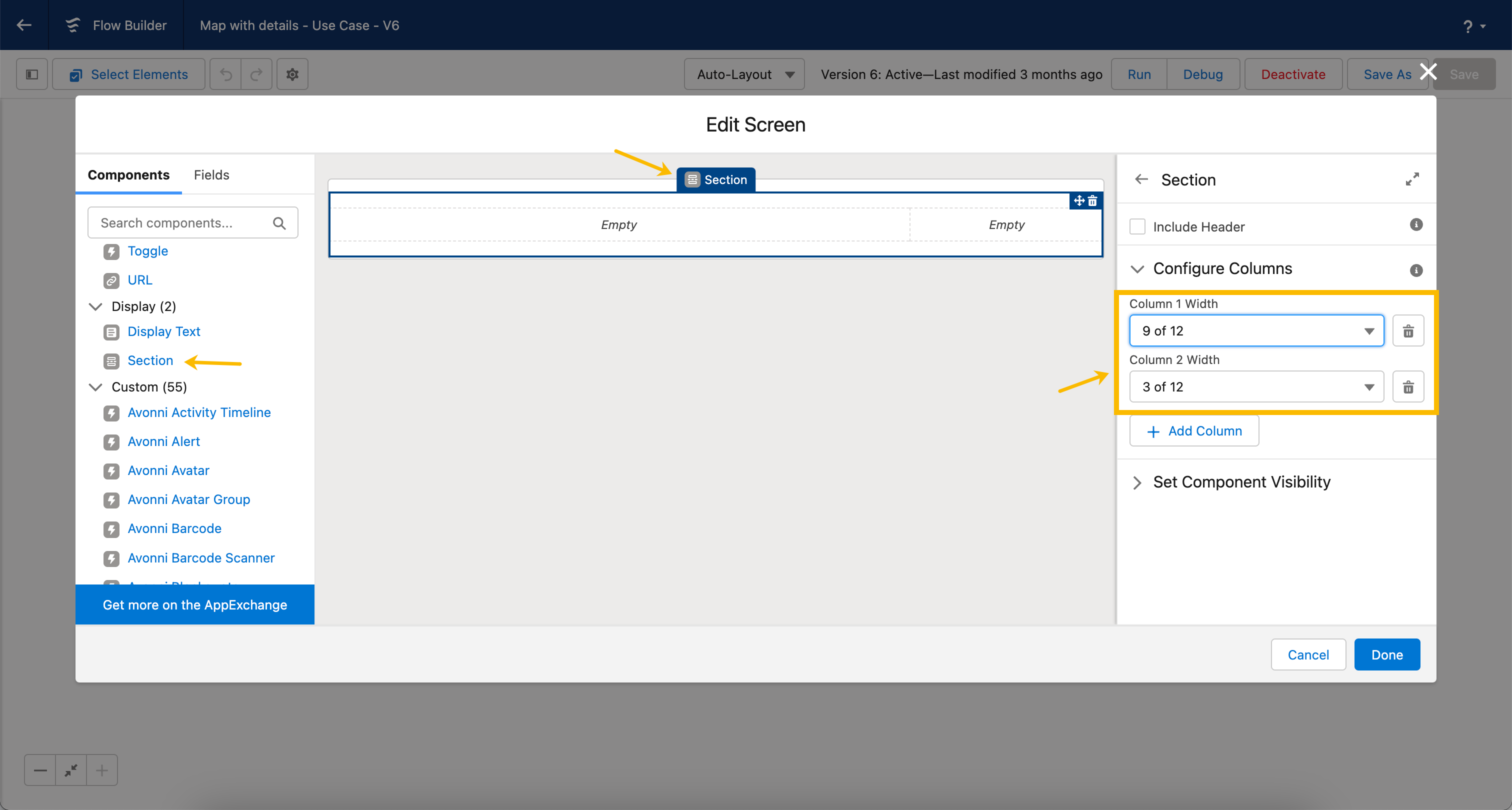
#### Add a section element.
We're adding a section element inside the screen element to create two columns. The wider left column will display the map, and the narrower right column will display account information.
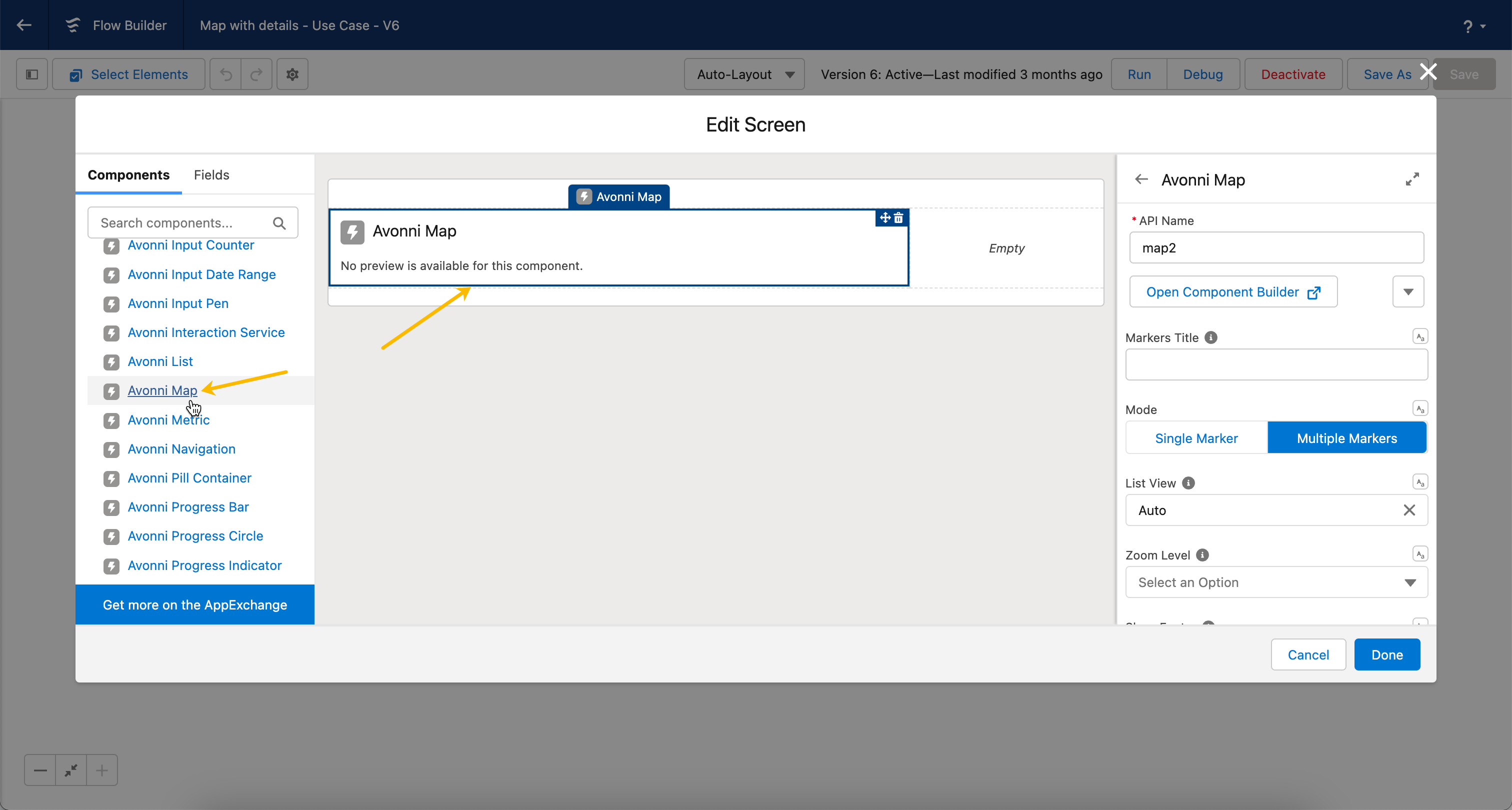
### 4️⃣ Drag the Avonni Map on the left-side section.
#### Avonni Map Configuration steps
Here's how to configure the Avonni Map Component
| Attribute | Value |
| ---------------- | ------------------------------------------- |
| **`Mode`** | Multiple Markers |
| **`List View`** | Auto |
| **`Zoom Level`** | 10 (or any other value to match your needs) |
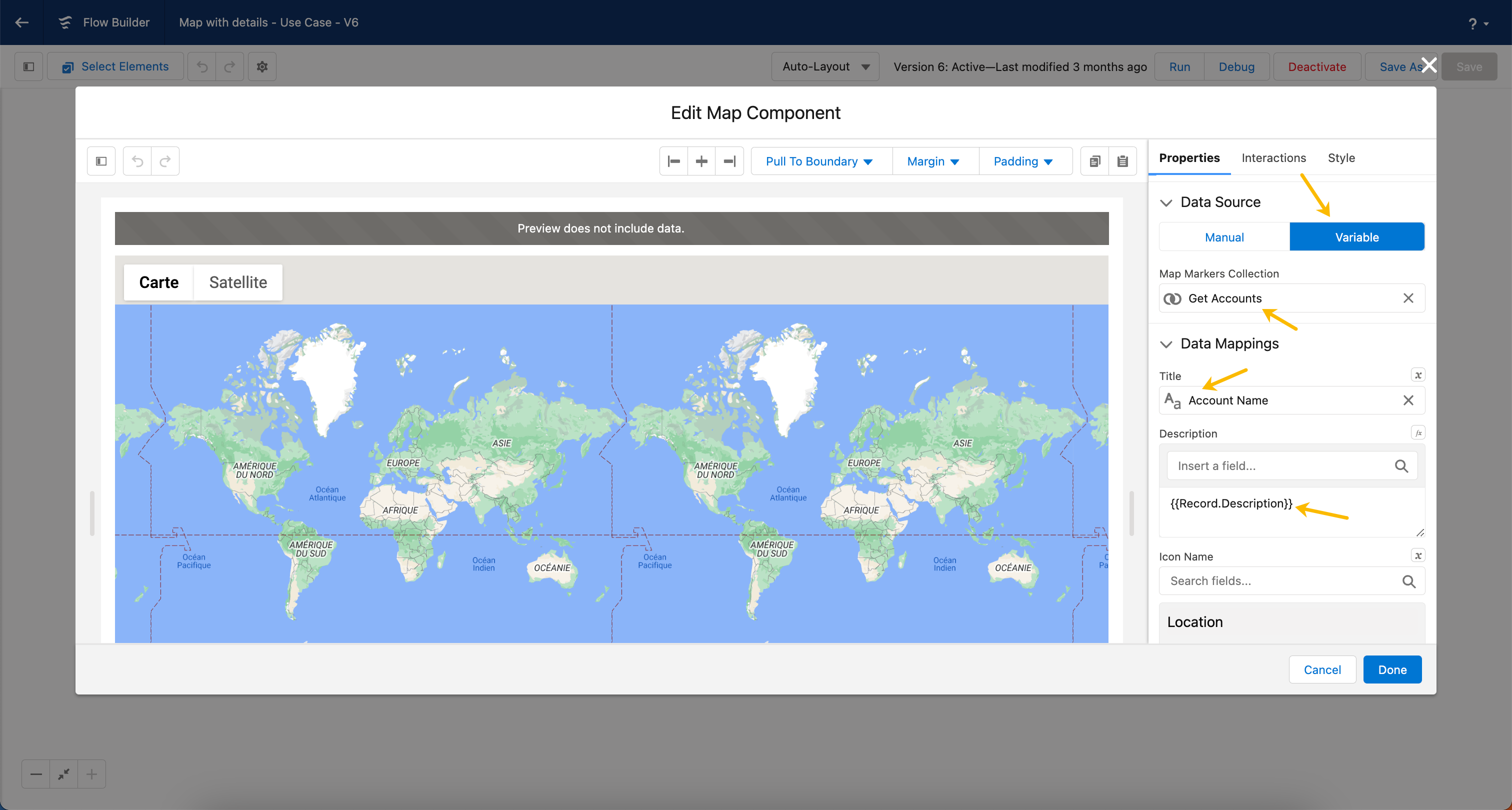
#### Data Source Configuration
We need to tell the map where to find the account information you collected earlier.
Here's how:
1. **Change the map's 'Data Source Configuration' to 'Variable'.** This will allow the map to look for changing data rather than using fixed information.
2. **Select your 'get records collection'.** This is where you stored the account details. Now the map knows where to look!
3. **Map your data for display:**
* **'Account name' as the Title** makes it easy to see which account each marker represents.
* **'description' in the Description** gives users more information when they click a marker
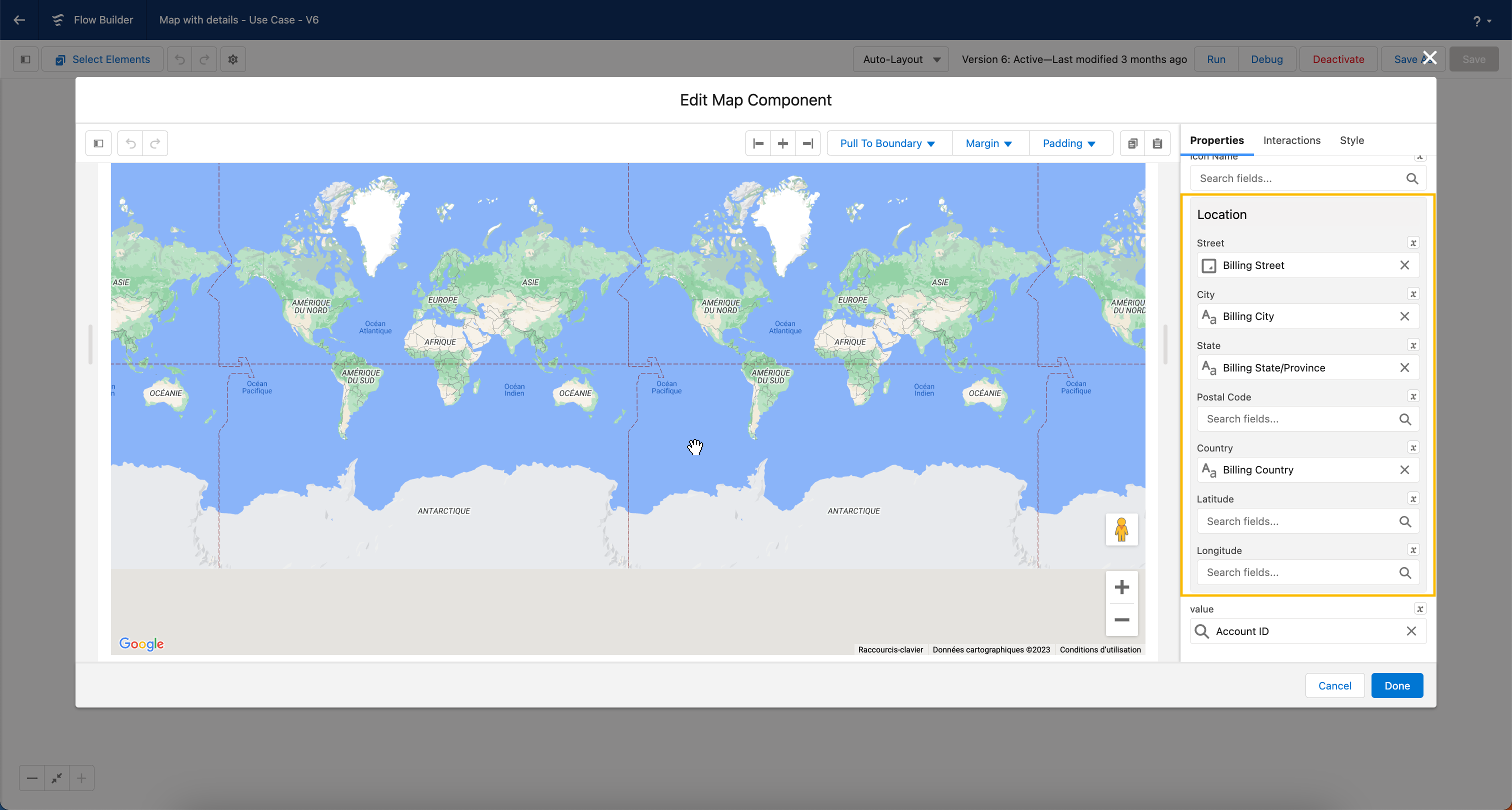
#### Location mapping
Think of 'Location Data Mappings' like giving the map directions. You're taking the address information you collected (street, city, etc.) and matching it to the parts of the map it needs to understand. This way, the map knows exactly where to put each account marker.
### 4️⃣ Right-side section configuration
We're going to make the right-side section show details about the account you click on the map. Here's how:
* **Add the 'Avonni Header' component.** This will make the account's name appear at the top.
* **Add the 'Avonni Formatted Value' component component.** This lets you show additional account information right below the name.
#### Avonni Header configuration
We're adding an 'Avonni Header' to show the name of the account you select on the map.
Here's how to set that up:
1. **Add the 'Avonni Header' component.** This is where the account name will be displayed.
2. **Set the title to 'Mapped'.** This means the title isn't fixed – it will change based on data.
3. **Link it to 'Selected Marker SObject Value' and 'Account name'.** This tells the header: "Get the account name from whichever marker is currently clicked on the map
{% @arcade/embed url="" flowId="H5wLRr5dEKXAhWyeiNtH" %}
#### Avonni Formatted Value Configuration
We want to use the Avonni Formatted Value component to show extra information about the account when someone clicks its marker.
Here's how to set that up:
* Drag the **Avonni Formatted Value** component
* Open the **Component Builder**
* Map the Formatted Value to the Avonni Map component to display the account name value of the map selected **marker value > Account Name**
{% hint style="info" %}
Repeat the same steps for other field's value you'd like to display.
{% endhint %}
### 6️⃣ Set Component Visibility configuration
#### Your Key to a Dynamic Component
Think of component visibility like stage lights. You want the right things to show up at the right time. For example, we'll make the Avonni Header only appear when an account is selected on the map. Do this for each component to make your flow look polished.
We're doing this by configuring a set component visibility rule on the component.
**`{!map.selectedMarkerSObjectValue.Id} IS NULL == FALSE`**
Avonni Header component visibility
{% hint style="info" %}
Repeat the same steps for other components' visibility.
{% endhint %}
## Video Tutorial
{% embed url="" %}
{% hint style="info" %}
**Having trouble with this tutorial**? [Contact Avonni support for help](/flow/help/support-and-troubleshooting.md).
{% endhint %}
---
# Agent Instructions
This documentation is published with GitBook. GitBook is the documentation platform designed so that both humans and AI agents can read, navigate, and reason over technical content effectively. Learn more at gitbook.com.
## Querying This Documentation
If you need additional information that is not directly available in this page, you can query the documentation by asking a question.
Perform an HTTP GET request on the following URL with the `ask` and `goal` query parameters:
```
GET https://docs.avonnicomponents.com/flow/tutorials/projects/create-a-clickable-map-with-details-information.md?ask=&goal=
```
`ask` is the immediate question: it should be specific, self-contained, and written in natural language.
`goal` is what the user is ultimately trying to achieve, the reason they need the answer. Sharing it helps GitBook give you a better, more relevant answer. A goal is most helpful when it describes the outcome the user wants rather than restating the question. For example, with `ask=how do I create an API token`, a goal like `automate deployments from our CI pipeline` lets GitBook tailor the answer to that use case.
The response will contain a direct answer to the question and relevant excerpts and sources from the documentation.
Use this mechanism when the answer is not explicitly present in the current page, you need clarification or additional context, or you want to retrieve related documentation sections.
.gif?alt=media)
.gif?alt=media)
.gif?alt=media)