> For the complete documentation index, see [llms.txt](https://docs.avonnicomponents.com/llms.txt). Markdown versions of documentation pages are available by appending `.md` to page URLs; this page is available as [Markdown](https://docs.avonnicomponents.com/lwc-components/data-driven-components/leaflet-map.md).

# Leaflet Map

`avonni-dd-leaflet-map`

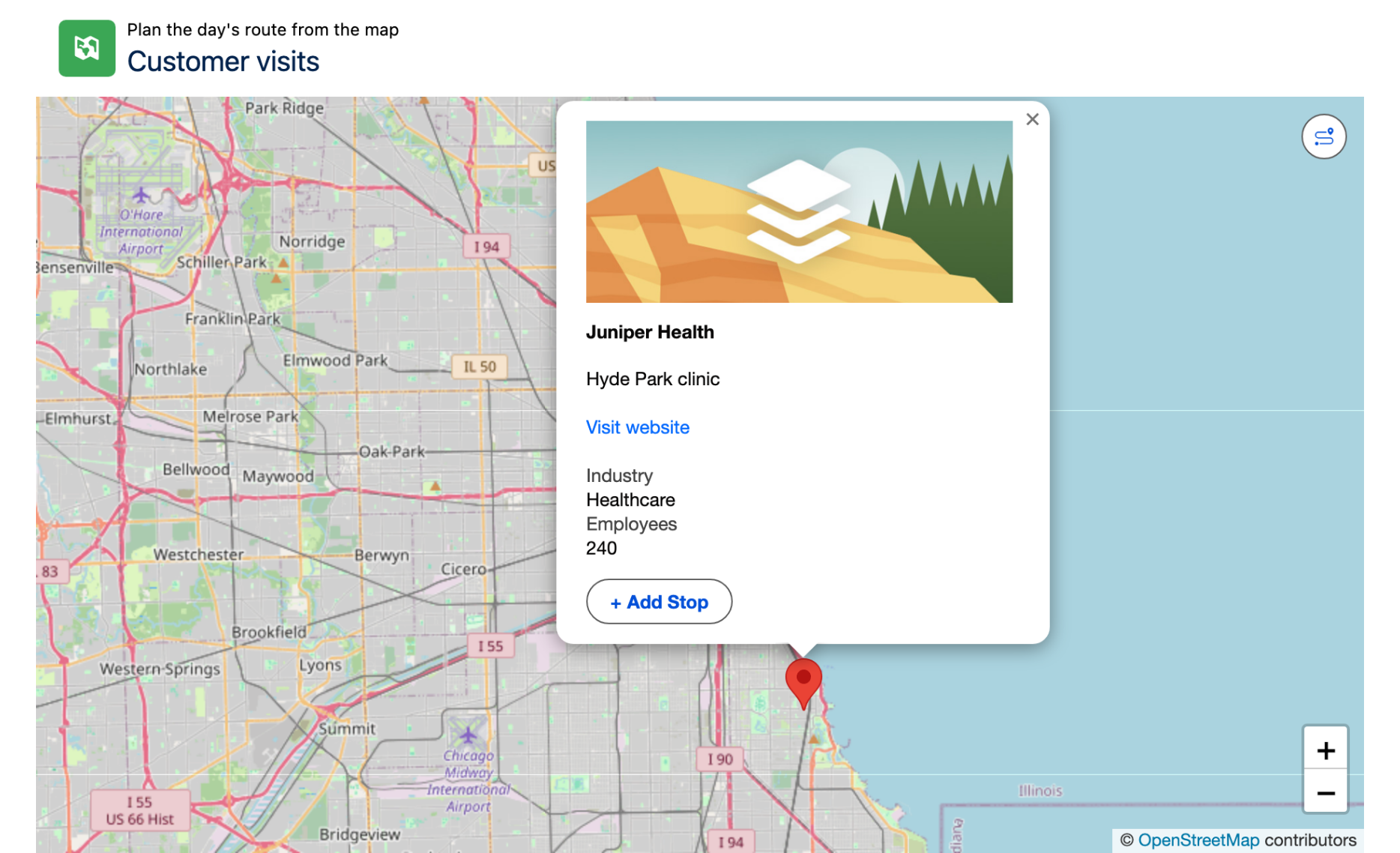
The Avonni Data Driven Leaflet displays records as markers on a Leaflet map.

## Overview

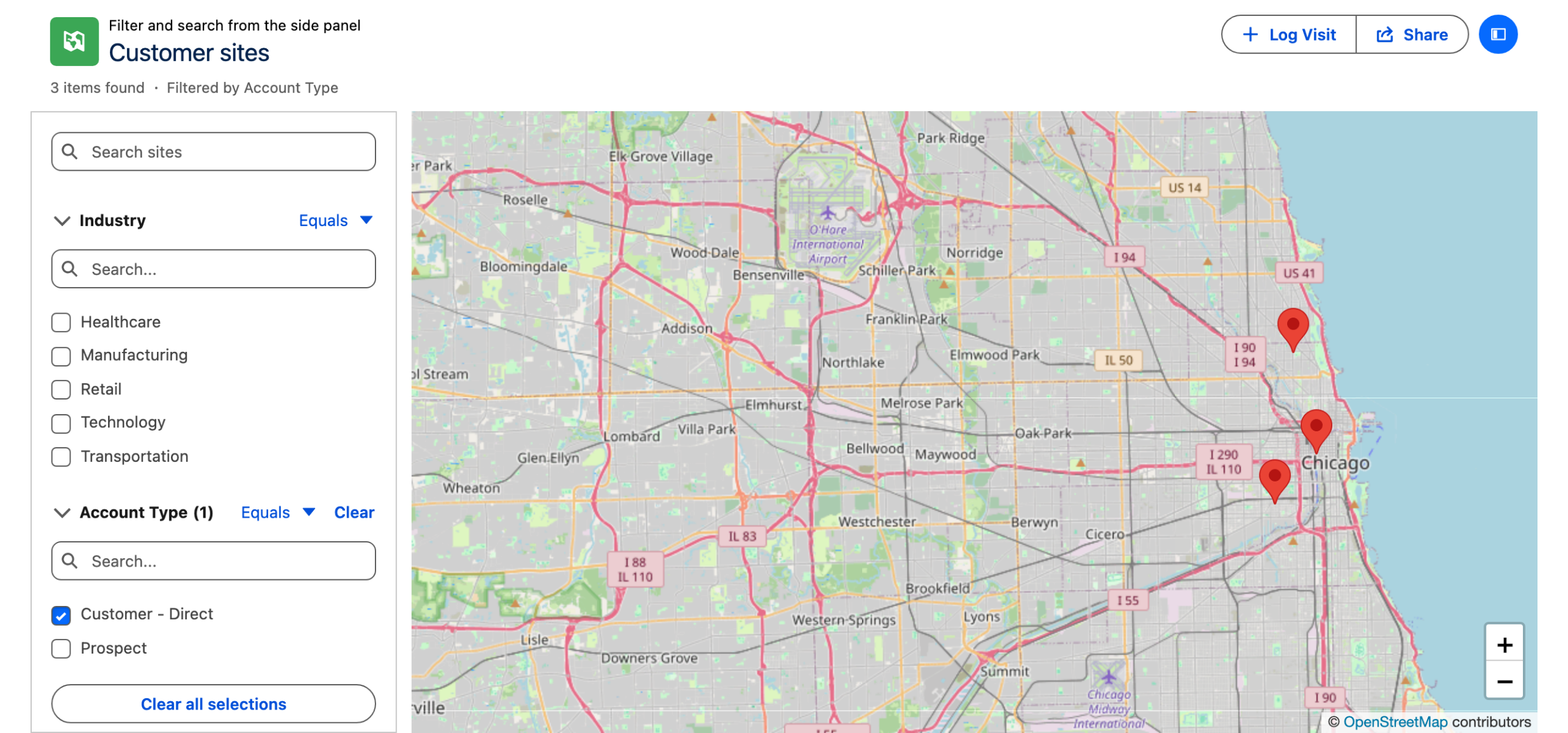
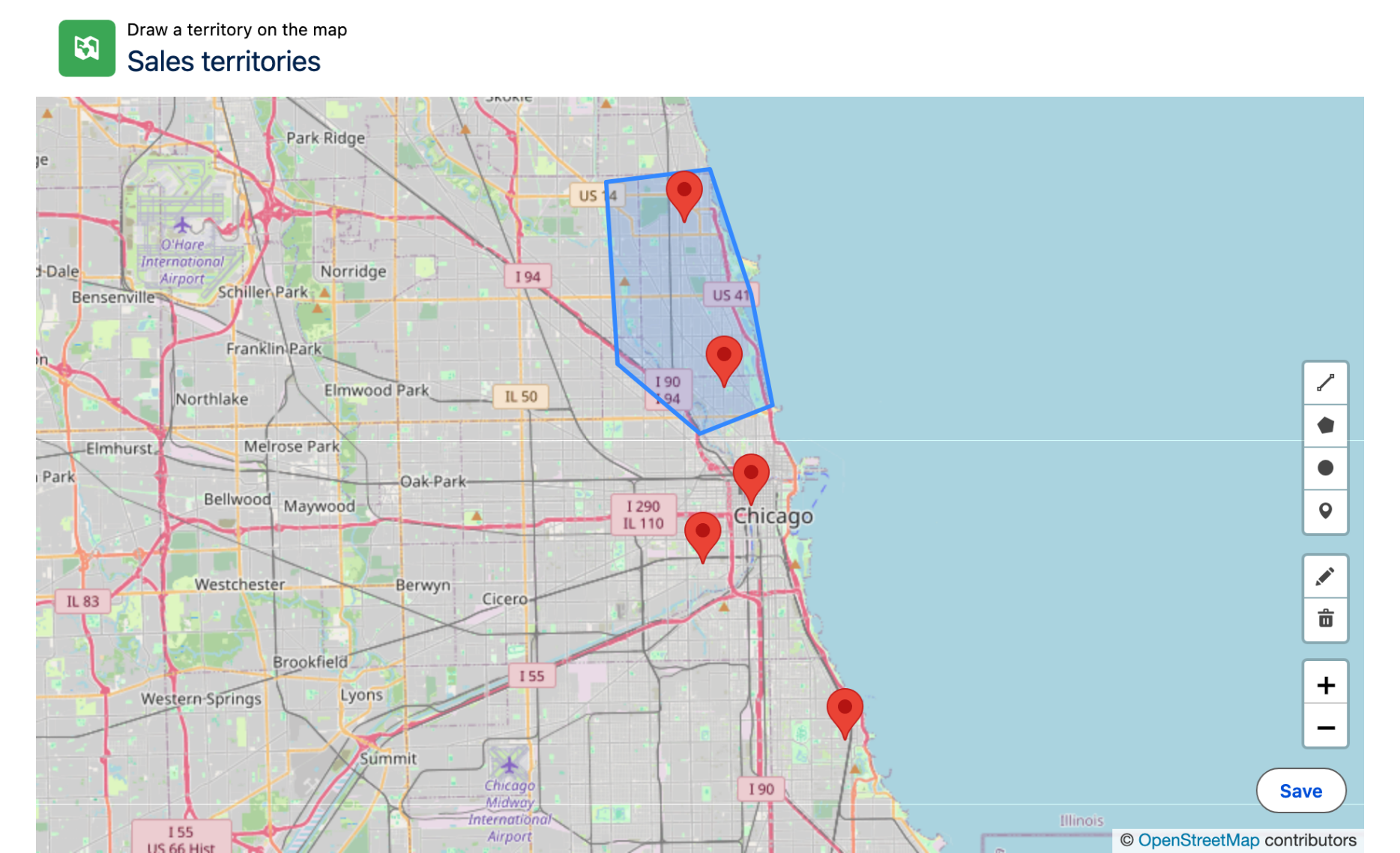
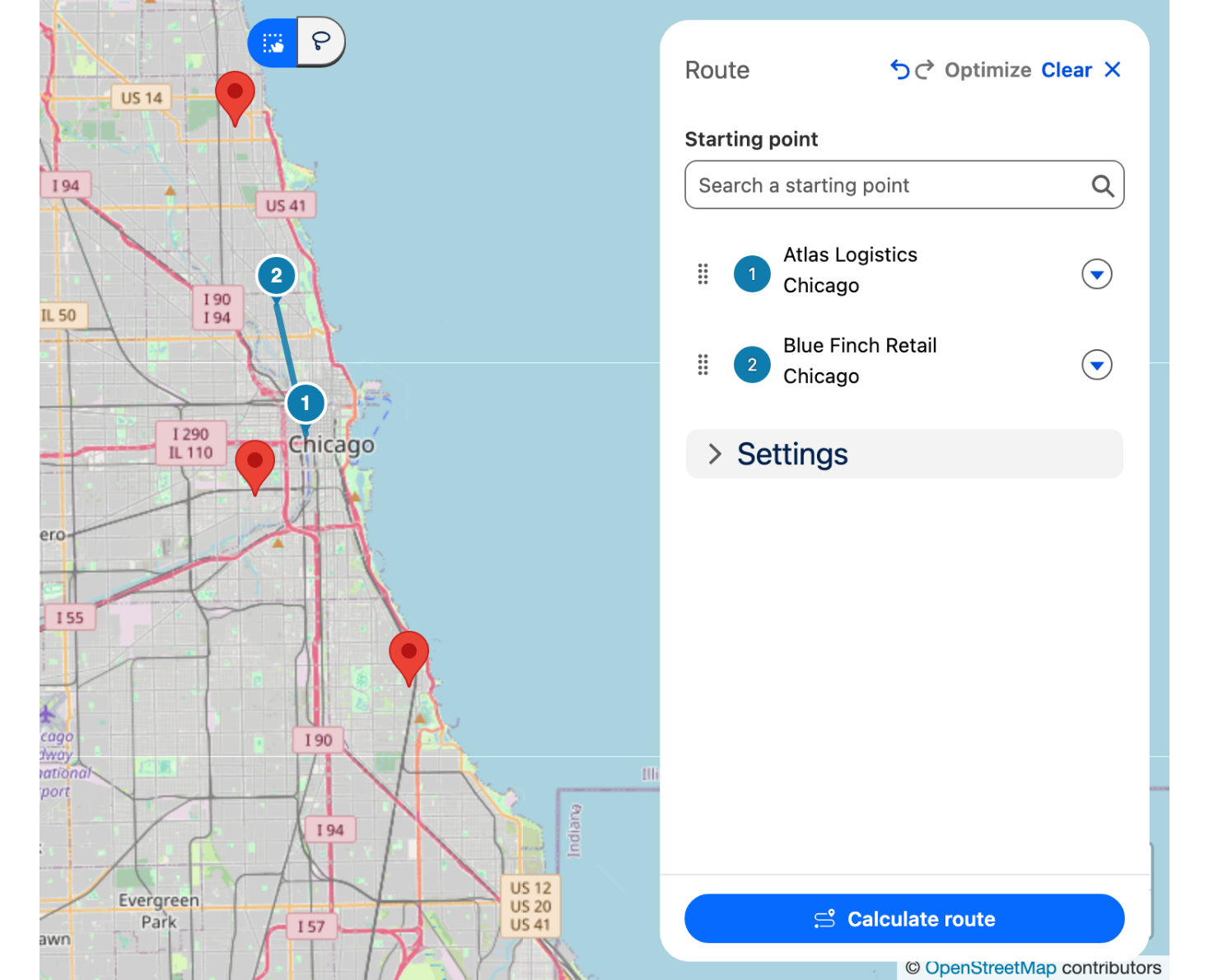
**Leaflet Map** is a data-driven Lightning Web Component that displays records as markers on a Leaflet map, with support for marker clustering, drawing tools, and saving drawn shapes as files.

The component works in two modes. In **query mode**, you provide a `query`, `mapping`, and optional `fields`; it runs the query and places a marker for each returned record using its coordinates. In **static mode**, you provide a fixed `items` array and the component renders those markers directly, ignoring `query`, `mapping`, and `fields`. The example shipped with the component demonstrates static mode.

### Use Cases

* **Geospatial dashboards:** Plot large numbers of records and cluster nearby markers for performance and readability.
* **Field mapping:** Let users draw circles, polygons, or polylines directly on the map and capture the GeoJSON.
* **Coverage areas:** Visualize service zones or territories as drawn shapes.
* **Static location boards:** Show a fixed set of points of interest from an `items` array.
* **Asset geolocation:** Map equipment or vehicles by latitude and longitude.
* **Saved annotations:** Persist a user's drawing as a `ContentDocument` for later retrieval.

***

## Use Case Examples

### Example 1: Query mode

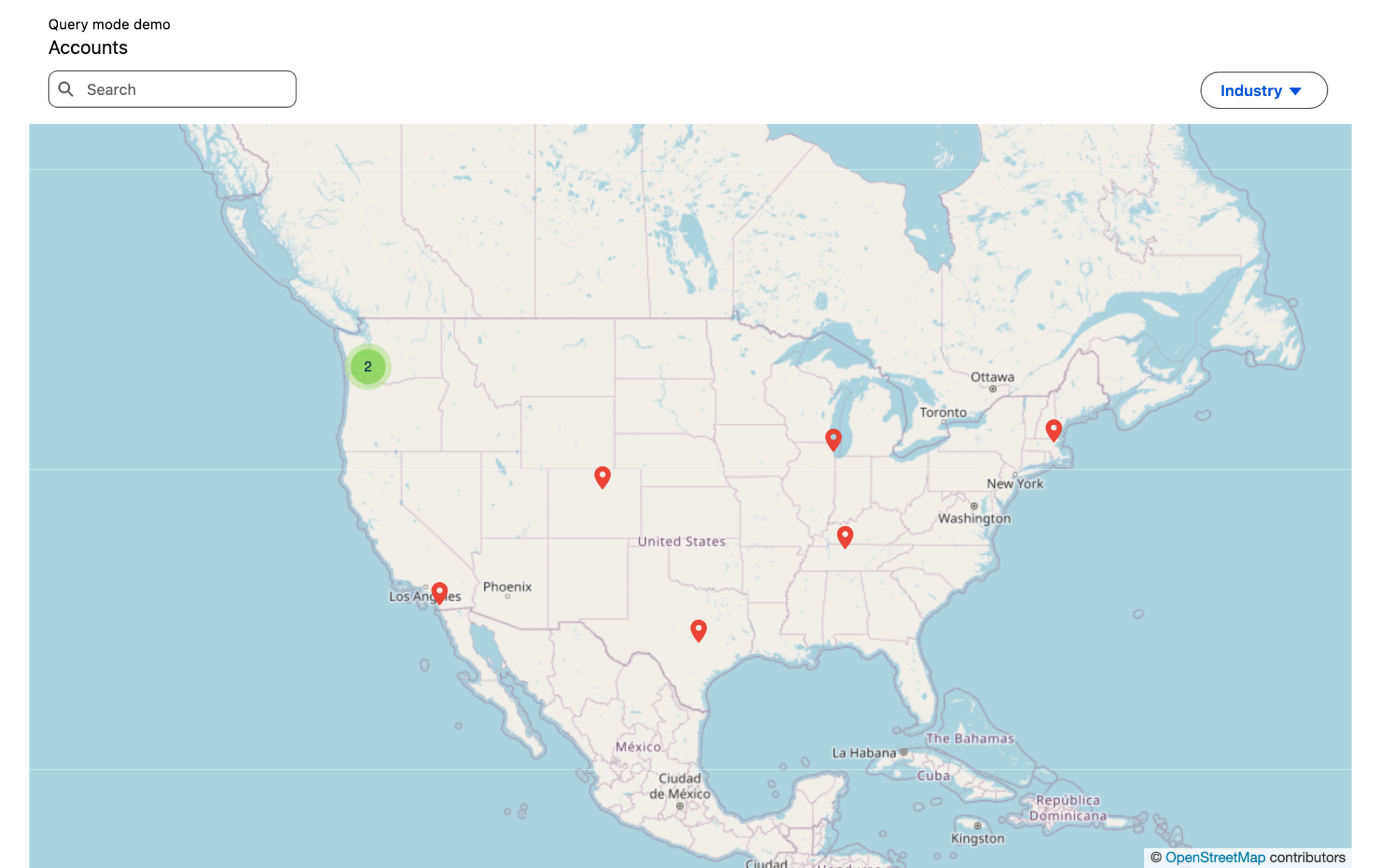
**Scenario:** Plot every account on a Leaflet map by its billing coordinates, clustering nearby markers, and react when a marker is selected.

```html
<!-- accountLeafletMap.html -->
<template>
    <avonni-dd-leaflet-map
        header-caption="Query mode demo"
        header-title="Accounts"
        zoom-level="4"
        cluster
        query={accountQuery}
        mapping={accountMapping}
        fields={accountFields}
        search-fields={accountSearchFields}
        filters={accountFilters}
        onmarkerselect={handleMarkerSelect}
        onerror={handleError}
    ></avonni-dd-leaflet-map>
</template>
```

```js
// accountLeafletMap.js
import { LightningElement } from 'lwc';

export default class AccountLeafletMap extends LightningElement {
    accountQuery = {
        objectApiName: 'Account',
        orderBy: 'Name ASC',
        limit: 500
    };

    accountMapping = {
        title: '{{Record.Name}}',
        value: '{{Record.Id}}',
        description: '{{Record.Industry}}',
        type: 'Pin',
        location: {
            Latitude: '{{Record.BillingLatitude}}',
            Longitude: '{{Record.BillingLongitude}}'
        }
    };

    accountFields = ['Name', 'Industry'];
    accountSearchFields = ['Name'];
    accountFilters = ['Industry'];

    handleMarkerSelect(event) {
        const { marker, selectedMarkerValue } = event.detail;
        // marker.title, selectedMarkerValue
    }

    handleError(event) {
        const message = event.detail.message;
    }
}
```

**Result:** A Leaflet map with one marker per account, nearby markers grouped into clusters, and a searchable, filterable marker list. Selecting a marker fires `markerselect` with the marker and its source record.

### Example 2: Static mode

**Scenario:** Display a fixed set of office locations placed by coordinates, mixing pin markers with a circular coverage area, with no query.

```html
<!-- officeLeafletMap.html -->
<template>
    <avonni-dd-leaflet-map
        header-caption="Static mode demo"
        header-title="Office locations"
        zoom-level="12"
        center={center}
        items={items}
        onmarkerselect={handleMarkerSelect}
    ></avonni-dd-leaflet-map>
</template>
```

```js
// officeLeafletMap.js
import { LightningElement } from 'lwc';

export default class OfficeLeafletMap extends LightningElement {
    items = [
        {
            title: 'Ferry Building',
            value: 'ferry-building',
            description: 'Historic marketplace on the Embarcadero.',
            type: 'Pin',
            location: { Latitude: 37.7955, Longitude: -122.3937 }
        },
        {
            title: 'Golden Gate Park',
            value: 'golden-gate-park',
            description: 'Large urban park stretching to the Pacific.',
            type: 'Circle',
            markerTypeAttributes: {
                radius: 800,
                fillColor: '#04844b',
                fillOpacity: 0.3,
                strokeColor: '#04844b'
            },
            location: { Latitude: 37.7694, Longitude: -122.4862 }
        }
    ];

    center = { location: { Latitude: 37.7849, Longitude: -122.4094 } };

    handleMarkerSelect(event) {
        const { marker, markerSObject } = event.detail;
        // markerSObject is null in static mode
    }
}
```

**Result:** A Leaflet map with a pin marker and a green circle coverage area placed from coordinates. There is no query—markers come straight from `items`, and `markerselect` fires with `markerSObject` set to `null`.

***

## Specifications

### Attributes

| Name                           | Description                                                                                                                                                                                                                                              | Type                                  | Default         | Required |
| ------------------------------ | -------------------------------------------------------------------------------------------------------------------------------------------------------------------------------------------------------------------------------------------------------- | ------------------------------------- | --------------- | -------- |
| `center`                       | Object defining the center of the map.                                                                                                                                                                                                                   | DdLeafletMapCenter                    | —               |          |
| `cluster`                      | If true, nearby markers are automatically grouped into clusters to improve map performance and readability.                                                                                                                                              | Boolean                               | `false`         |          |
| `cluster-attributes`           | Object defining the attributes of the cluster.                                                                                                                                                                                                           | DdLeafletMapClusterAttributes         | —               |          |
| `content-document-attributes`  | Object defining the attributes of the content document to display on the map when the `saveAsContentDocument` property is true.                                                                                                                          | DdLeafletMapContentDocumentAttributes | —               |          |
| `draw-attributes`              | Object defining the attributes of the drawing tools to display on the map.                                                                                                                                                                               | DdLeafletMapDrawAttributes            | —               |          |
| `draw-geo-json-value`          | The GeoJSON value of the drawing on the map.                                                                                                                                                                                                             | String                                | —               |          |
| `drawable`                     | If true, users can select drawing tools to draw shapes directly on the map. The property `drawGeoJsonValue` gets updated.                                                                                                                                | Boolean                               | `false`         |          |
| `fields`                       | Array of field API names that belong to the queried object. The fields will be displayed in the list view items, with their corresponding values.                                                                                                        | string\[]                             | —               |          |
| `filters`                      | Array of field API names that belong to the queried object. These fields will be displayed as user filters.                                                                                                                                              | string\[]                             | —               |          |
| `filters-attributes`           | Object defining the filters-specific attributes.                                                                                                                                                                                                         | DdElementFiltersAttributes            | —               |          |
| `geo-json-value`               | The GeoJSON value of the map.                                                                                                                                                                                                                            | String                                | —               |          |
| `header-actions`               | Array of actions to display at the top right of the header. On click on a header action, the `headeractionclick` event is fired.                                                                                                                         | DdElementAction\[]                    | —               |          |
| `header-avatar`                | Avatar displayed at the top left of the header.                                                                                                                                                                                                          | DdElementAvatar                       | —               |          |
| `header-caption`               | Header caption, displayed above the title.                                                                                                                                                                                                               | String                                | —               |          |
| `header-help-text`             | If present, a help text icon is displayed next to the header title. On focus or hover on the icon, the header help text is displayed in a tooltip.                                                                                                       | String                                | —               |          |
| `header-help-text-attributes`  | Object defining the help text-specific attributes.                                                                                                                                                                                                       | DdElementHelpTextAttributes           | —               |          |
| `header-title`                 | Main title displayed in the header.                                                                                                                                                                                                                      | String                                | —               |          |
| `header-visible-actions-count` | Number of header actions that appear as regular buttons. Remaining actions appear in a dropdown menu.                                                                                                                                                    | integer                               | —               |          |
| `image-attributes`             | Object defining the attributes of the image to display on the map.                                                                                                                                                                                       | DdLeafletMapImageAttributes           | —               |          |
| `items`                        | Array of static markers displayed on the map. When this property is set, the map ignores the `query`, `mapping` and `fields` properties and displays the markers directly.                                                                               | DdLeafletMapItem\[]                   | —               |          |
| `mapping`                      | Object defining the way the records returned by the query should be mapped to the map item properties. To insert the value of a field, use the syntax `{{Record.FieldApiName}}`. For example, to use the value of the Name field, use `{{Record.Name}}`. | DdLeafletMapMapping                   | —               |          |
| `options`                      | Object defining a list of map settings/options.                                                                                                                                                                                                          | DdMapElementOptions                   | —               |          |
| `popup-width`                  | Width of the popup displayed when a marker is selected.                                                                                                                                                                                                  | Number                                | —               |          |
| `query`                        | Definition of the query to execute to get the records that will be mapped.                                                                                                                                                                               | DdElementQuery                        | —               |          |
| `refresh-emp`                  | Object describing a platform event that should be subscribed to in order to refresh the component when an event is published.                                                                                                                            | DdElementRefreshEmp                   | —               |          |
| `save-as-content-document`     | If true, the drawing on the map is saved as a `ContentDocument` object (file).                                                                                                                                                                           | Boolean                               | `false`         |          |
| `search-attributes`            | Object defining the search-specific attributes.                                                                                                                                                                                                          | DdElementSearchAttributes             | —               |          |
| `search-fields`                | Array of field API names that can be used by the search box to filter the records. The fields must belong to the queried object, and they must be filterable.                                                                                            | string\[]                             | —               |          |
| `selected-marker-value`        | Value of the currently selected marker. Updated automatically when a marker is selected via the map.                                                                                                                                                     | String                                | —               |          |
| `side-panel-attributes`        | Object defining the side panel-specific attributes.                                                                                                                                                                                                      | DdElementSidePanelAttributes          | —               |          |
| `zoom-controls-position`       | Position of the zoom controls on the map. Valid values are `topleft`, `topright`, `bottomleft` and `bottomright`.                                                                                                                                        | String                                | `"bottomright"` |          |
| `zoom-level`                   | Zoom level of the map. Number between 0 and 23, 0 being the most zoomed out version of the map, and 23 the most zoomed in.                                                                                                                               | Number                                | `10`            |          |

### Mapping

In query mode, `mapping` describes how each queried record becomes a marker. Insert a field value with the `{{Record.FieldApiName}}` syntax. Leaflet markers are placed by coordinates, so the `location` key must resolve to `Latitude` and `Longitude`.

```js
const accountMapping = {
    title: '{{Record.Name}}',
    value: '{{Record.Id}}',
    description: '{{Record.Description}}',
    type: 'Pin',
    location: {
        Latitude: '{{Record.BillingLatitude}}',
        Longitude: '{{Record.BillingLongitude}}'
    }
};
```

| Mapping key   | Description                                                                     |
| ------------- | ------------------------------------------------------------------------------- |
| `title`       | Marker title shown in the marker list view.                                     |
| `value`       | Unique value identifying the marker (typically the record Id).                  |
| `description` | Secondary text for the marker.                                                  |
| `type`        | Marker shape: `default`, `Circle`, `Rectangle`, `Polygon`, `Pin`, `CustomIcon`. |
| `iconName`    | SLDS icon shown in the marker list view (e.g. `standard:account`).              |
| `location`    | `Latitude` / `Longitude` coordinates used to place the marker.                  |

### Methods

| Name      | Description                                                   | Argument Name       | Argument Type | Argument Description                                              |
| --------- | ------------------------------------------------------------- | ------------------- | ------------- | ----------------------------------------------------------------- |
| `refresh` | Refresh the query and the records displayed in the component. | `stayOnCurrentPage` | Boolean       | If true, the component will refresh but stay on the current page. |

### Custom Events

#### `centerchange`

The event fired when the center location of the map is updated.

The `centerchange` event returns the following parameters.

| Parameter  | Type                       | Description                     |
| ---------- | -------------------------- | ------------------------------- |
| `location` | DdLeafletMapMarkerLocation | New center location of the map. |

The event properties are as follows.

| Property   | Value | Description                                                                                               |
| ---------- | ----- | --------------------------------------------------------------------------------------------------------- |
| bubbles    | false | This event does not bubble.                                                                               |
| cancelable | false | This event has no default behavior that can be canceled. You can't call `preventDefault()` on this event. |
| composed   | false | This event does not propagate outside of the component in which it was dispatched.                        |

#### `contentdocumentidchange`

The event fired when the content document ID changes.

The `contentdocumentidchange` event returns the following parameters.

| Parameter | Type   | Description              |
| --------- | ------ | ------------------------ |
| `value`   | string | New content document ID. |

The event properties are as follows.

| Property   | Value | Description                                                                                               |
| ---------- | ----- | --------------------------------------------------------------------------------------------------------- |
| bubbles    | false | This event does not bubble.                                                                               |
| cancelable | false | This event has no default behavior that can be canceled. You can't call `preventDefault()` on this event. |
| composed   | false | This event does not propagate outside of the component in which it was dispatched.                        |

#### `drawvaluechange`

The event fired when the draw value is updated.

The `drawvaluechange` event returns the following parameters.

| Parameter | Type   | Description              |
| --------- | ------ | ------------------------ |
| `value`   | string | New draw geo JSON value. |

The event properties are as follows.

| Property   | Value | Description                                                                                               |
| ---------- | ----- | --------------------------------------------------------------------------------------------------------- |
| bubbles    | false | This event does not bubble.                                                                               |
| cancelable | false | This event has no default behavior that can be canceled. You can't call `preventDefault()` on this event. |
| composed   | false | This event does not propagate outside of the component in which it was dispatched.                        |

#### `error`

The event fired when an error occurs in the component.

The `error` event returns the following parameters.

| Parameter | Type   | Description           |
| --------- | ------ | --------------------- |
| `message` | string | Message of the error. |

The event properties are as follows.

| Property   | Value | Description                                                                                               |
| ---------- | ----- | --------------------------------------------------------------------------------------------------------- |
| bubbles    | false | This event does not bubble.                                                                               |
| cancelable | false | This event has no default behavior that can be canceled. You can't call `preventDefault()` on this event. |
| composed   | false | This event does not propagate outside of the component in which it was dispatched.                        |

#### `filter`

The event fired when the user filters the records.

The `filter` event returns the following parameters.

| Parameter | Type   | Description                                                                                                                                                                                                   |
| --------- | ------ | ------------------------------------------------------------------------------------------------------------------------------------------------------------------------------------------------------------- |
| `value`   | object | Object containing the filters applied by the user. Its keys correspond to the field API names of the selected filters. The values are arrays of strings, corresponding to the values selected for the filter. |

The event properties are as follows.

| Property   | Value | Description                                                                                               |
| ---------- | ----- | --------------------------------------------------------------------------------------------------------- |
| bubbles    | false | This event does not bubble.                                                                               |
| cancelable | false | This event has no default behavior that can be canceled. You can't call `preventDefault()` on this event. |
| composed   | false | This event does not propagate outside of the component in which it was dispatched.                        |

#### `headeractionclick`

The event fired when a header action is clicked.

The `headeractionclick` event returns the following parameters.

| Parameter | Type   | Description                 |
| --------- | ------ | --------------------------- |
| `name`    | string | Name of the action clicked. |

The event properties are as follows.

| Property   | Value | Description                                                                                               |
| ---------- | ----- | --------------------------------------------------------------------------------------------------------- |
| bubbles    | false | This event does not bubble.                                                                               |
| cancelable | false | This event has no default behavior that can be canceled. You can't call `preventDefault()` on this event. |
| composed   | false | This event does not propagate outside of the component in which it was dispatched.                        |

#### `markercreated`

The event fired when a marker is created.

The `markercreated` event returns the following parameters.

| Parameter  | Type                       | Description                                 |
| ---------- | -------------------------- | ------------------------------------------- |
| `location` | DdLeafletMapMarkerLocation | Object defining the location of the marker. |

The event properties are as follows.

| Property   | Value | Description                                                                                               |
| ---------- | ----- | --------------------------------------------------------------------------------------------------------- |
| bubbles    | false | This event does not bubble.                                                                               |
| cancelable | false | This event has no default behavior that can be canceled. You can't call `preventDefault()` on this event. |
| composed   | false | This event does not propagate outside of the component in which it was dispatched.                        |

#### `markerdrag`

The event fired when a marker is dragged.

The `markerdrag` event returns the following parameters.

| Parameter  | Type                       | Description             |
| ---------- | -------------------------- | ----------------------- |
| `record`   | object                     | Record of the marker.   |
| `location` | DdLeafletMapMarkerLocation | Location of the marker. |

The event properties are as follows.

| Property   | Value | Description                                                                                               |
| ---------- | ----- | --------------------------------------------------------------------------------------------------------- |
| bubbles    | false | This event does not bubble.                                                                               |
| cancelable | false | This event has no default behavior that can be canceled. You can't call `preventDefault()` on this event. |
| composed   | false | This event does not propagate outside of the component in which it was dispatched.                        |

#### `markerselect`

The event fired when a marker is selected.

The `markerselect` event returns the following parameters.

| Parameter             | Type   | Description                                                                                              |
| --------------------- | ------ | -------------------------------------------------------------------------------------------------------- |
| `marker`              | object | Selected marker, with its mapped display properties (`title`, `description`, `value`, `location`...).    |
| `markerSObject`       | object | Record corresponding to the selected marker. In static mode, no record is associated and this is `null`. |
| `selectedMarkerValue` | string | Value of the selected marker.                                                                            |

The event properties are as follows.

| Property   | Value | Description                                                                                               |
| ---------- | ----- | --------------------------------------------------------------------------------------------------------- |
| bubbles    | false | This event does not bubble.                                                                               |
| cancelable | false | This event has no default behavior that can be canceled. You can't call `preventDefault()` on this event. |
| composed   | false | This event does not propagate outside of the component in which it was dispatched.                        |

#### `nbitemschange`

The event fired when the number of items displayed in the component changes.

The `nbitemschange` event returns the following parameters.

| Parameter | Type    | Description                                 |
| --------- | ------- | ------------------------------------------- |
| `value`   | integer | Number of items displayed in the component. |

The event properties are as follows.

| Property   | Value | Description                                                                                               |
| ---------- | ----- | --------------------------------------------------------------------------------------------------------- |
| bubbles    | false | This event does not bubble.                                                                               |
| cancelable | false | This event has no default behavior that can be canceled. You can't call `preventDefault()` on this event. |
| composed   | false | This event does not propagate outside of the component in which it was dispatched.                        |

#### `zoomlevelchange`

The event fired when the zoom level is updated.

The `zoomlevelchange` event returns the following parameters.

| Parameter | Type   | Description     |
| --------- | ------ | --------------- |
| `value`   | number | New zoom level. |

The event properties are as follows.

| Property   | Value | Description                                                                                               |
| ---------- | ----- | --------------------------------------------------------------------------------------------------------- |
| bubbles    | false | This event does not bubble.                                                                               |
| cancelable | false | This event has no default behavior that can be canceled. You can't call `preventDefault()` on this event. |
| composed   | false | This event does not propagate outside of the component in which it was dispatched.                        |

### Styling Hooks

| CSS Variable                                                     | Type      | Default   |
| ---------------------------------------------------------------- | --------- | --------- |
| `--avonni-dd-leaflet-map-header-actions-color-background`        | color     | —         |
| `--avonni-dd-leaflet-map-header-actions-color-background-active` | color     | —         |
| `--avonni-dd-leaflet-map-header-actions-color-background-hover`  | color     | —         |
| `--avonni-dd-leaflet-map-header-actions-color-border`            | color     | —         |
| `--avonni-dd-leaflet-map-header-actions-color-border-active`     | color     | —         |
| `--avonni-dd-leaflet-map-header-actions-color-border-hover`      | color     | —         |
| `--avonni-dd-leaflet-map-header-actions-text-color`              | color     | —         |
| `--avonni-dd-leaflet-map-header-actions-text-color-active`       | color     | —         |
| `--avonni-dd-leaflet-map-header-actions-text-color-hover`        | color     | —         |
| `--avonni-dd-leaflet-map-header-caption-font-family`             | string    | —         |
| `--avonni-dd-leaflet-map-header-caption-font-size`               | dimension | —         |
| `--avonni-dd-leaflet-map-header-caption-font-style`              | string    | `normal`  |
| `--avonni-dd-leaflet-map-header-caption-font-weight`             | number    | `400`     |
| `--avonni-dd-leaflet-map-header-caption-letter-spacing`          | string    | —         |
| `--avonni-dd-leaflet-map-header-caption-line-height`             | string    | —         |
| `--avonni-dd-leaflet-map-header-caption-text-color`              | color     | `#000000` |
| `--avonni-dd-leaflet-map-header-color-background`                | color     | —         |
| `--avonni-dd-leaflet-map-header-color-border`                    | color     | —         |
| `--avonni-dd-leaflet-map-header-color-border-bottom`             | color     | `#c9c9c9` |
| `--avonni-dd-leaflet-map-header-icon-color-background`           | color     | —         |
| `--avonni-dd-leaflet-map-header-icon-color-foreground`           | color     | —         |
| `--avonni-dd-leaflet-map-header-icon-color-foreground-default`   | color     | —         |
| `--avonni-dd-leaflet-map-header-icon-radius-border`              | string    | —         |
| `--avonni-dd-leaflet-map-header-margin-block-end`                | dimension | —         |
| `--avonni-dd-leaflet-map-header-radius-border`                   | string    | —         |
| `--avonni-dd-leaflet-map-header-sizing-border`                   | string    | —         |
| `--avonni-dd-leaflet-map-header-sizing-border-bottom`            | dimension | `1px`     |
| `--avonni-dd-leaflet-map-header-spacing-block-end`               | dimension | `0.75rem` |
| `--avonni-dd-leaflet-map-header-spacing-block-start`             | dimension | `0.75rem` |
| `--avonni-dd-leaflet-map-header-spacing-inline-end`              | dimension | `1rem`    |
| `--avonni-dd-leaflet-map-header-spacing-inline-start`            | dimension | `1rem`    |
| `--avonni-dd-leaflet-map-header-styling-border`                  | string    | —         |
| `--avonni-dd-leaflet-map-header-styling-border-bottom`           | string    | `solid`   |
| `--avonni-dd-leaflet-map-header-title-font-family`               | string    | —         |
| `--avonni-dd-leaflet-map-header-title-font-size`                 | dimension | `1rem`    |
| `--avonni-dd-leaflet-map-header-title-font-style`                | string    | `normal`  |
| `--avonni-dd-leaflet-map-header-title-font-weight`               | number    | `400`     |
| `--avonni-dd-leaflet-map-header-title-letter-spacing`            | string    | —         |
| `--avonni-dd-leaflet-map-header-title-line-height`               | number    | `1.25`    |
| `--avonni-dd-leaflet-map-header-title-text-color`                | color     | `#080707` |

## Key Considerations

* **Mode selection:** Setting `items` switches the component to static mode and ignores `query`, `mapping`, and `fields`. Leave `items` unset for query mode.
* **Coordinates required:** Leaflet places markers by `Latitude`/`Longitude`, so every marker's `location` must resolve to valid coordinates.
* **Clustering:** Enable `cluster` for large datasets; tune behavior with `cluster-attributes` such as `maxClusterRadius` and `disableClusteringAtZoom`.
* **Drawing and saving:** With `drawable`, the user's shapes are exposed via `draw-geo-json-value` and the `drawvaluechange` event; set `save-as-content-document` to persist them as a file.
* **Static records:** In static mode there is no underlying record, so `markerselect` returns `markerSObject` as `null`.
* **Best Practice:** Enable `cluster` whenever a query can return many markers—it keeps the map responsive and readable. Leaflet positions markers from coordinates, so always provide `Latitude` and `Longitude` (in the mapping for query mode, or in each item's `location` for static mode).

***

## Troubleshooting Common Issues

* **Markers not appearing:** Confirm each marker's `location` resolves to valid `Latitude` and `Longitude` values—Leaflet cannot place address-only markers.
* **Map shows no records (query mode):** Verify `query.objectApiName` is correct and the mapping coordinate fields are populated; listen to the `error` event for query failures.
* **Drawing not saved:** Ensure `save-as-content-document` is `true` and provide the needed `content-document-attributes`; watch `contentdocumentidchange` for the saved file Id.
* **If issues persist:** Contact our support team at <support@avonni.app> for assistance.


---

# Agent Instructions
This documentation is published with GitBook. GitBook is the documentation platform designed so that both humans and AI agents can read, navigate, and reason over technical content effectively. Learn more at gitbook.com.

## Querying This Documentation
If you need additional information that is not directly available in this page, you can query the documentation dynamically by asking a question.

Perform an HTTP GET request on the current page URL with the `ask` query parameter, and the optional `goal` query parameter:

```
GET https://docs.avonnicomponents.com/lwc-components/data-driven-components/leaflet-map.md?ask=<question>&goal=<endgoal>
```

`ask` is the immediate question: it should be specific, self-contained, and written in natural language.
`goal` is optional and describes the broader end goal you are ultimately trying to accomplish on behalf of the user. GitBook uses it to tailor the answer towards what is most useful for that goal.

The response will contain a direct answer to the question and relevant excerpts and sources from the documentation.

Use this mechanism when the answer is not explicitly present in the current page, you need clarification or additional context, or you want to retrieve related documentation sections.