# Open Alert Modal

## Overview

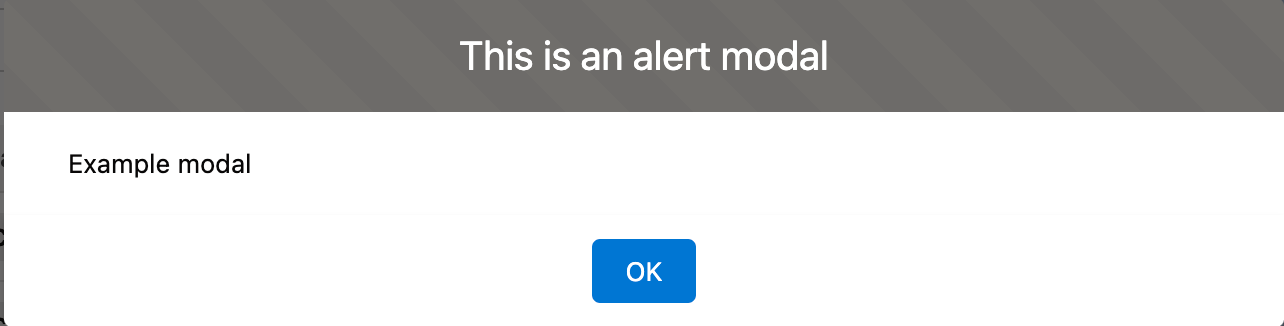
The Open Alert Modal interaction displays an alert message inside a modal to notify a user about a communication you want to make.&#x20;

Use the Open Alert Modal for one of these types of information:

* **Neutral or general information.** Use this when you are notifying a user of a change.
* **Warning.** Use this for critical information that will help a user avoid an issue.
* **Error.** Use this for critical information preventing a user from continuing a flow and if there's action required on their end to resolve the issue.

<figure><img src="/files/qcKVElBuqkRvmOVtHDN7" alt=""><figcaption></figcaption></figure>

## Configuration

### Accessing the Alert Modal action

{% @arcade/embed flowId="MAyRL4WQCm0Lp9ZSjW6Q" url="<https://app.arcade.software/share/MAyRL4WQCm0Lp9ZSjW6Q>" %}

### Specifications

<table><thead><tr><th width="214">Property</th><th>Description</th></tr></thead><tbody><tr><td><strong>Label</strong></td><td>Text that will be displayed in the header.</td></tr><tr><td><strong>Message</strong></td><td>Main content message for your alert box.</td></tr><tr><td><strong>Variant</strong></td><td>Appearance of the alert modal. With or without a header.</td></tr><tr><td><strong>Theme</strong></td><td>Specify a color theme for a header. Possible choice: <strong><code>Default</code></strong>, <strong><code>Shade</code></strong>, <strong><code>Inverse</code></strong>, <strong><code>Alt Inverse</code></strong>, <strong><code>Success</code></strong>, <strong><code>Info</code></strong>, <strong><code>Warning</code></strong>, <strong><code>Error</code></strong>, <strong><code>Offline</code></strong>.</td></tr><tr><td><strong>On Close</strong></td><td>Ability to add a subsequent interaction when the end-user closes the alert modal.</td></tr></tbody></table>


---

# Agent Instructions: Querying This Documentation

If you need additional information that is not directly available in this page, you can query the documentation dynamically by asking a question.

Perform an HTTP GET request on the current page URL with the `ask` query parameter:

```
GET https://docs.avonnicomponents.com/flow/component-builder/interactions-panel/open-alert-modal.md?ask=<question>
```

The question should be specific, self-contained, and written in natural language.
The response will contain a direct answer to the question and relevant excerpts and sources from the documentation.

Use this mechanism when the answer is not explicitly present in the current page, you need clarification or additional context, or you want to retrieve related documentation sections.
