> For the complete documentation index, see [llms.txt](https://docs.avonnicomponents.com/llms.txt). Markdown versions of documentation pages are available by appending `.md` to page URLs; this page is available as [Markdown](https://docs.avonnicomponents.com/app-builder-components/welcome.md).

# Welcome

Ready made components you drag onto a Lightning page and configure right in the App Builder. Nothing to compose, nothing to code.

<button type="button" class="button primary" data-action="ask" data-icon="gitbook-assistant">What do you want to put on this page?</button>

<a href="https://appexchange.salesforce.com/appxListingDetail?listingId=2e584bb3-b5e0-415d-9347-d6567158d840" class="button primary" data-icon="up-right-from-square">Install the Components</a> <a href="/app-builder-components/getting-started/quickstart-guide.md" class="button secondary" data-icon="stars">Quickstart</a> <a href="/app-builder-components/app-builder-components/explore-all-components.md" class="button secondary" data-icon="grid-round-2-plus">Explore all components</a>

<figure><img src="https://402837896-files.gitbook.io/~/files/v0/b/gitbook-x-prod.appspot.com/o/spaces%2FuaBTxA8eavv941HMiZFW%2Fuploads%2FoUbTnregjSz25sTGdLFe%2Fab-hero-page.png?alt=media" alt="An account record page in Lightning Experience, carrying an Avonni data table of open opportunities with a sort control on every column."><figcaption><p>An Avonni Data Table on an account record page, reading opportunities live.</p></figcaption></figure>

***

<h3 align="center">Start here</h3>

<p align="center">Three pages, in order, and you have an Avonni component live on a Lightning page.</p>

<table data-view="cards"><thead><tr><th></th><th></th><th></th><th data-hidden data-card-target data-type="content-ref"></th></tr></thead><tbody><tr><td><h4><i class="fa-rocket">:rocket:</i></h4></td><td><h4>Quickstart Guide</h4></td><td>Add your first Avonni component to a Lightning page, start to finish.</td><td><a href="/app-builder-components/getting-started/quickstart-guide.md">Quickstart Guide</a></td></tr><tr><td><h4><i class="fa-compass">:compass:</i></h4></td><td><h4>Product Tour</h4></td><td>What each component does, and where it fits on a page.</td><td><a href="/app-builder-components/getting-started/product-tour.md">Product Tour</a></td></tr><tr><td><h4><i class="fa-star-shooting">:star-shooting:</i></h4></td><td><h4>Core Concepts</h4></td><td>The essentials to understand before you configure your first component.</td><td><a href="/app-builder-components/getting-started/understanding-the-essentials/core-concepts.md">Core Concepts</a></td></tr></tbody></table>

***

<h3 align="center">What you can build</h3>

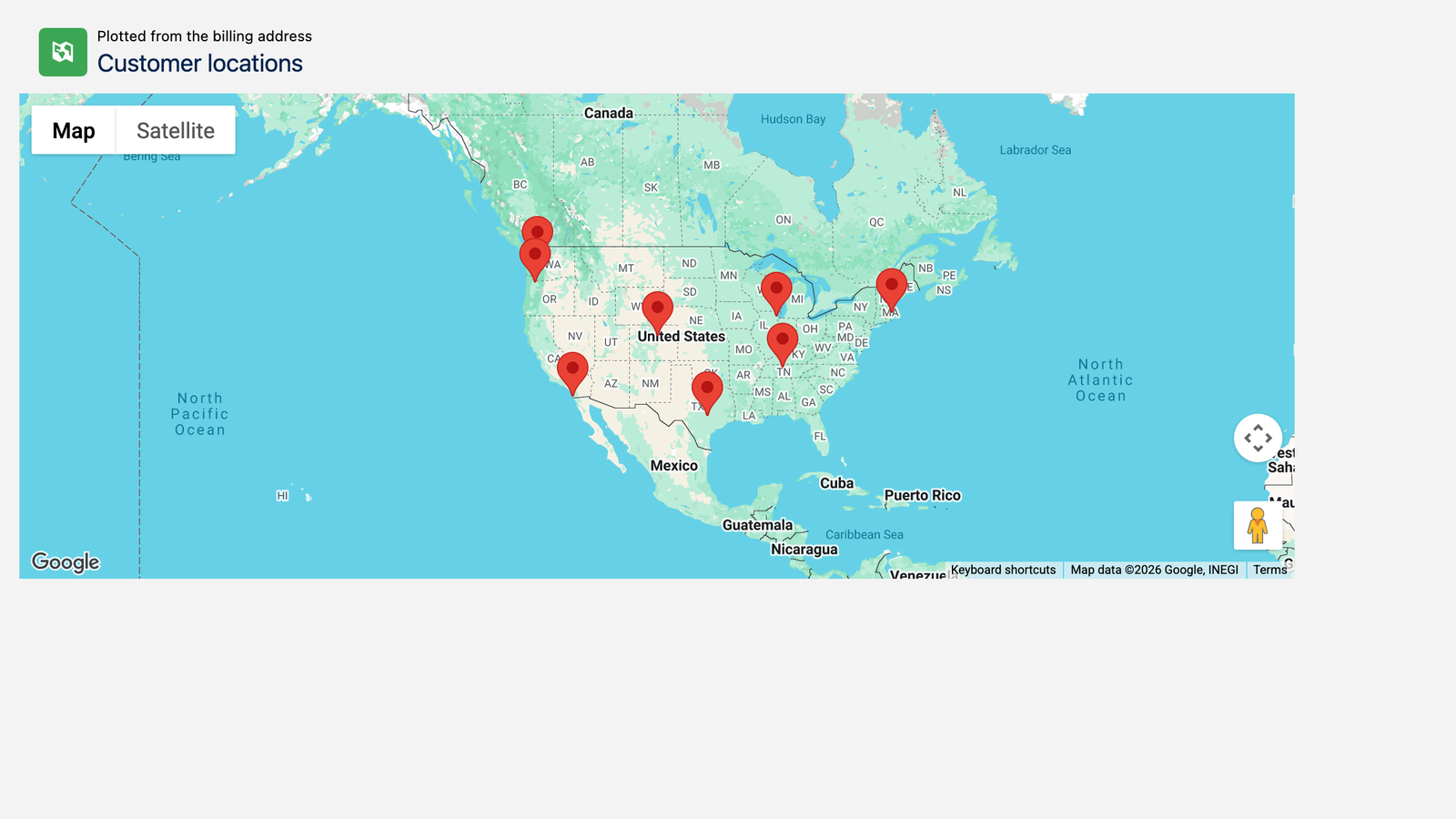
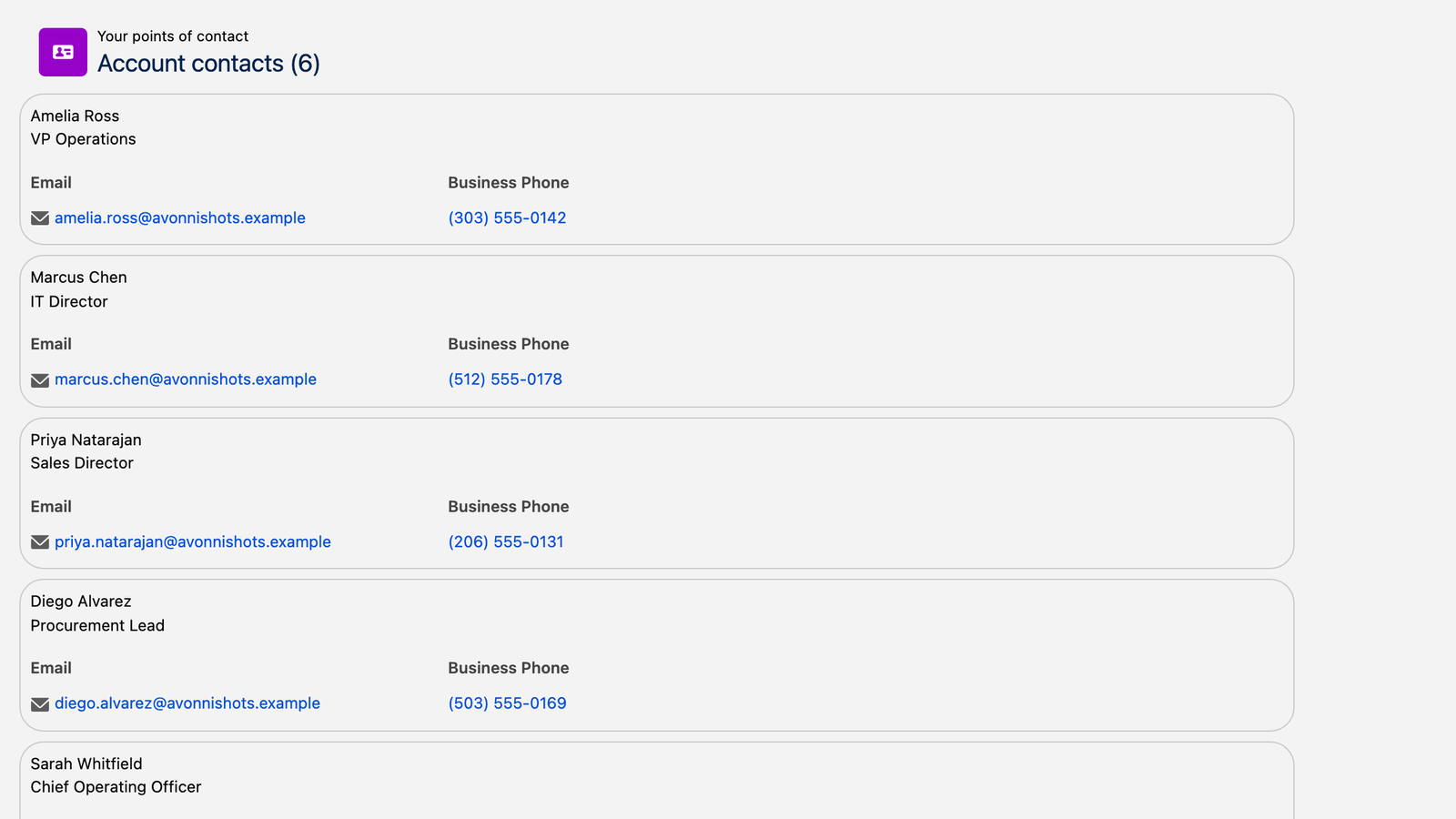
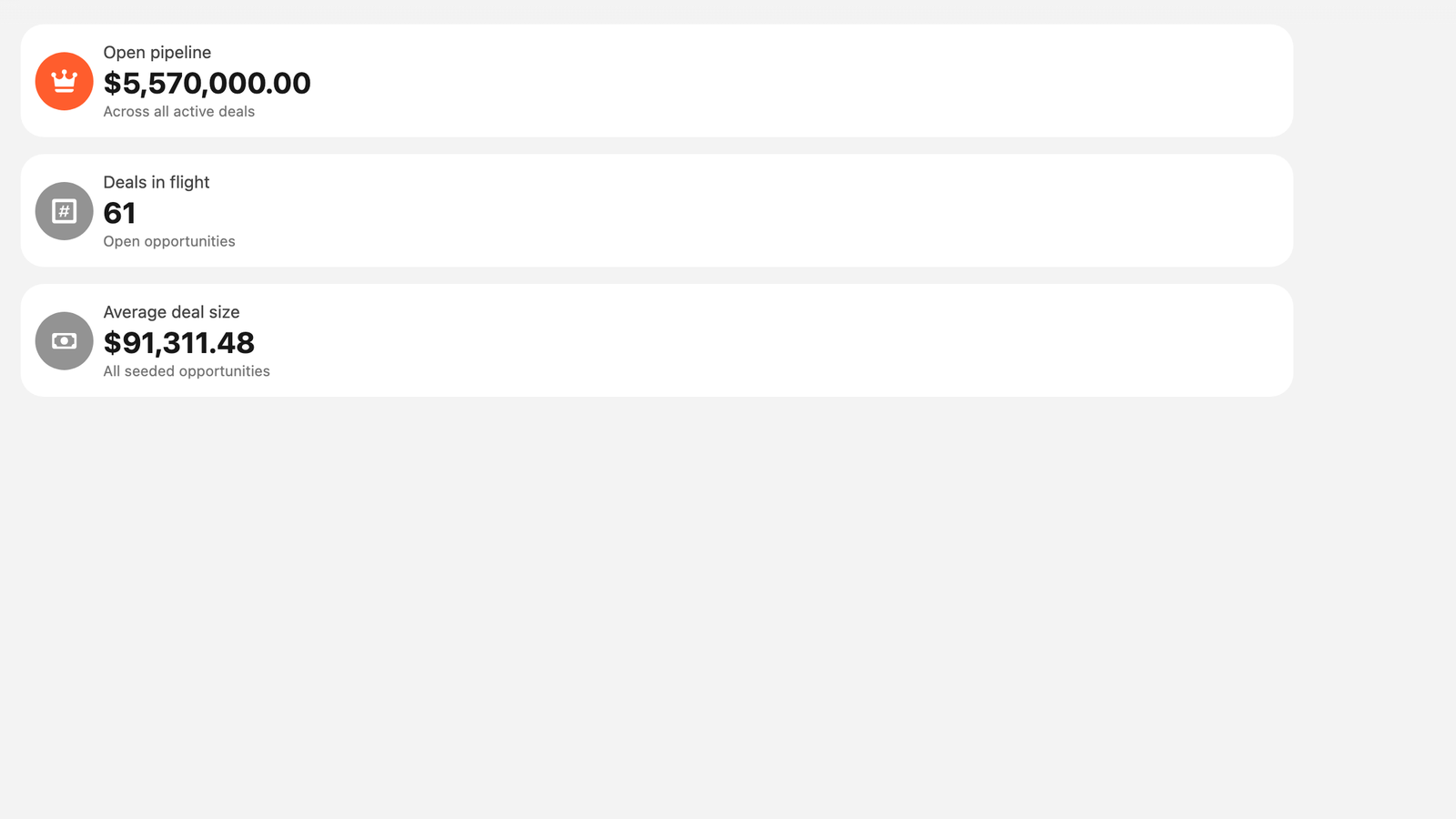
<p align="center">Point a component at an object, pick the fields, and it queries your records itself. No canvas to compose, no flow to build. Six of them below, each photographed on a Lightning page.</p>

<table data-view="cards"><thead><tr><th></th><th></th><th data-hidden data-card-cover data-type="image">Cover image</th><th data-hidden data-card-target data-type="content-ref"></th></tr></thead><tbody><tr><td><h4>Data Table</h4></td><td>Filter, search and edit records inline, right on the page. Here, the opportunities behind an account.</td><td><a href="https://402837896-files.gitbook.io/~/files/v0/b/gitbook-x-prod.appspot.com/o/spaces%2FuaBTxA8eavv941HMiZFW%2Fuploads%2Fr8nDwoisit8Hzm6thMub%2Fab-card-data-table.png?alt=media">https://402837896-files.gitbook.io/~/files/v0/b/gitbook-x-prod.appspot.com/o/spaces%2FuaBTxA8eavv941HMiZFW%2Fuploads%2Fr8nDwoisit8Hzm6thMub%2Fab-card-data-table.png?alt=media</a></td><td><a href="/app-builder-components/app-builder-components/ax-data-table.md">AX - Data Table</a></td></tr><tr><td><h4>Pivot Table</h4></td><td>Cross-tabulate records into grouped rows and columns, with subtotals and a grand total, computed live.</td><td><a href="https://402837896-files.gitbook.io/~/files/v0/b/gitbook-x-prod.appspot.com/o/spaces%2FuaBTxA8eavv941HMiZFW%2Fuploads%2FWRyTaNc78PIO7YIek2CZ%2Fab-card-pivot-table.png?alt=media">https://402837896-files.gitbook.io/~/files/v0/b/gitbook-x-prod.appspot.com/o/spaces%2FuaBTxA8eavv941HMiZFW%2Fuploads%2FWRyTaNc78PIO7YIek2CZ%2Fab-card-pivot-table.png?alt=media</a></td><td><a href="/app-builder-components/app-builder-components/ax-pivot-table.md">AX - Pivot Table</a></td></tr><tr><td><h4>Map</h4></td><td>Plot your records from the address fields they already carry, and name what each pin shows.</td><td><a href="https://402837896-files.gitbook.io/~/files/v0/b/gitbook-x-prod.appspot.com/o/spaces%2FuaBTxA8eavv941HMiZFW%2Fuploads%2FLsJu18gRRAz0aNYsPbN9%2Fab-card-map.png?alt=media">https://402837896-files.gitbook.io/~/files/v0/b/gitbook-x-prod.appspot.com/o/spaces%2FuaBTxA8eavv941HMiZFW%2Fuploads%2FLsJu18gRRAz0aNYsPbN9%2Fab-card-map.png?alt=media</a></td><td><a href="/app-builder-components/app-builder-components/ax-map.md">AX - Map</a></td></tr><tr><td><h4>Calendar</h4></td><td>Month, week or day views of any records that carry a date. Here, the team's events.</td><td><a href="https://402837896-files.gitbook.io/~/files/v0/b/gitbook-x-prod.appspot.com/o/spaces%2FuaBTxA8eavv941HMiZFW%2Fuploads%2Fkz9Qp2MYi0RoQAaYqT3G%2Fab-card-calendar.png?alt=media">https://402837896-files.gitbook.io/~/files/v0/b/gitbook-x-prod.appspot.com/o/spaces%2FuaBTxA8eavv941HMiZFW%2Fuploads%2Fkz9Qp2MYi0RoQAaYqT3G%2Fab-card-calendar.png?alt=media</a></td><td><a href="/app-builder-components/app-builder-components/ax-calendar.md">AX - Calendar</a></td></tr><tr><td><h4>List</h4></td><td>Records as readable rows rather than a grid, with the title, the subtitle and the fields you pick.</td><td><a href="https://402837896-files.gitbook.io/~/files/v0/b/gitbook-x-prod.appspot.com/o/spaces%2FuaBTxA8eavv941HMiZFW%2Fuploads%2FQsFD0i7xlsKn3iem6sI8%2Fab-card-list.png?alt=media">https://402837896-files.gitbook.io/~/files/v0/b/gitbook-x-prod.appspot.com/o/spaces%2FuaBTxA8eavv941HMiZFW%2Fuploads%2FQsFD0i7xlsKn3iem6sI8%2Fab-card-list.png?alt=media</a></td><td><a href="/app-builder-components/app-builder-components/ax-list.md">AX - List</a></td></tr><tr><td><h4>Metric</h4></td><td>One number, aggregated across the records you point it at, with a line of context under it.</td><td><a href="https://402837896-files.gitbook.io/~/files/v0/b/gitbook-x-prod.appspot.com/o/spaces%2FuaBTxA8eavv941HMiZFW%2Fuploads%2Fe41yRblzhsMX1J3eLoPK%2Fab-card-metric.png?alt=media">https://402837896-files.gitbook.io/~/files/v0/b/gitbook-x-prod.appspot.com/o/spaces%2FuaBTxA8eavv941HMiZFW%2Fuploads%2Fe41yRblzhsMX1J3eLoPK%2Fab-card-metric.png?alt=media</a></td><td><a href="/app-builder-components/app-builder-components/ax-metric.md">AX - Metric</a></td></tr></tbody></table>

<p align="center"><a href="/app-builder-components/app-builder-components/explore-all-components.md" class="button secondary" data-icon="grid-round-2-plus">Explore all components</a></p>

{% hint style="info" %}
Need something these components do not do out of the box? **AX - Dynamic Component** puts a component you composed yourself on the same page. [Which one to pick](/app-builder-components/getting-started/choosing-between-app-builder-and-dynamic-components.md).
{% endhint %}

***

<h3 align="center">See it built</h3>

<p align="center">Projects built end to end in a real org, with the screenshots and the configuration behind each one.</p>

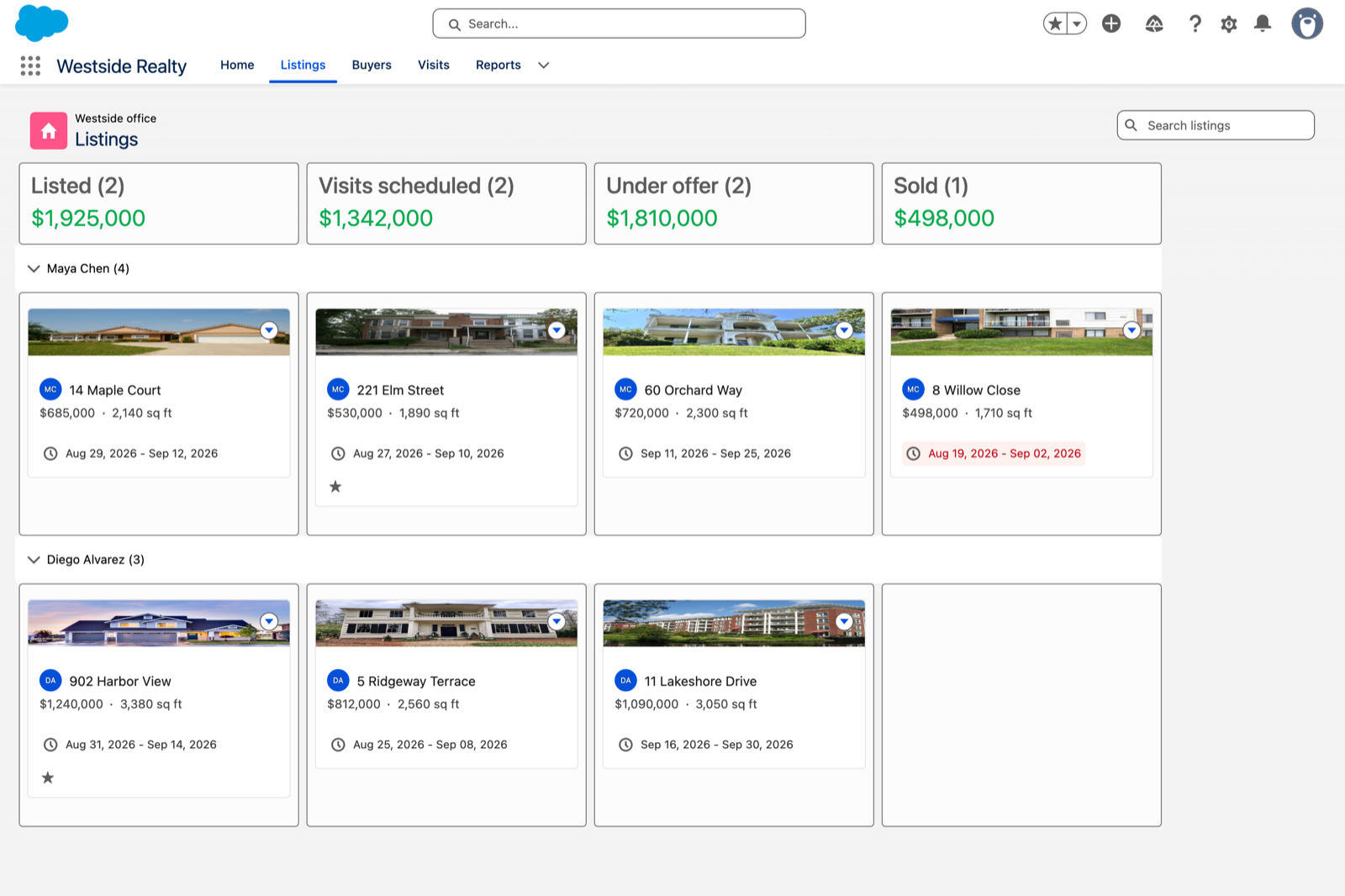
<table data-view="cards"><thead><tr><th></th><th></th><th data-hidden data-card-cover data-type="image">Cover image</th><th data-hidden data-card-target data-type="content-ref"></th></tr></thead><tbody><tr><td><h4>Richer record pages</h4></td><td>Panels, timelines, catalogs and threads that live on the record page itself.</td><td><a href="https://402837896-files.gitbook.io/~/files/v0/b/gitbook-x-prod.appspot.com/o/spaces%2FuaBTxA8eavv941HMiZFW%2Fuploads%2F3GAoKRsuYzUQwzwluh1I%2Fab-projects-record-pages.png?alt=media">https://402837896-files.gitbook.io/~/files/v0/b/gitbook-x-prod.appspot.com/o/spaces%2FuaBTxA8eavv941HMiZFW%2Fuploads%2F3GAoKRsuYzUQwzwluh1I%2Fab-projects-record-pages.png?alt=media</a></td><td><a href="https://docs.avonnicomponents.com/projects/use-cases/record-pages">https://docs.avonnicomponents.com/projects/use-cases/record-pages</a></td></tr><tr><td><h4>Boards and pipelines</h4></td><td>Kanban boards, dispatch timelines and live walls, where a drag is a real update.</td><td><a href="https://402837896-files.gitbook.io/~/files/v0/b/gitbook-x-prod.appspot.com/o/spaces%2FuaBTxA8eavv941HMiZFW%2Fuploads%2FKvJjxiVeIF75CSK5A0uj%2Fab-projects-boards-and-pipelines.png?alt=media">https://402837896-files.gitbook.io/~/files/v0/b/gitbook-x-prod.appspot.com/o/spaces%2FuaBTxA8eavv941HMiZFW%2Fuploads%2FKvJjxiVeIF75CSK5A0uj%2Fab-projects-boards-and-pipelines.png?alt=media</a></td><td><a href="https://docs.avonnicomponents.com/projects/use-cases/boards-and-pipelines">https://docs.avonnicomponents.com/projects/use-cases/boards-and-pipelines</a></td></tr><tr><td><h4>Reporting without a report</h4></td><td>Pivots, charts and grouped tables computed live from your records.</td><td><a href="https://402837896-files.gitbook.io/~/files/v0/b/gitbook-x-prod.appspot.com/o/spaces%2FuaBTxA8eavv941HMiZFW%2Fuploads%2FLw4RKfFag8HNXayBX9t2%2Fab-projects-reporting.png?alt=media">https://402837896-files.gitbook.io/~/files/v0/b/gitbook-x-prod.appspot.com/o/spaces%2FuaBTxA8eavv941HMiZFW%2Fuploads%2FLw4RKfFag8HNXayBX9t2%2Fab-projects-reporting.png?alt=media</a></td><td><a href="https://docs.avonnicomponents.com/projects/use-cases/reporting">https://docs.avonnicomponents.com/projects/use-cases/reporting</a></td></tr></tbody></table>

***

<h3 align="center">Keep going</h3>

<table data-view="cards"><thead><tr><th></th><th></th><th></th><th data-hidden data-card-target data-type="content-ref"></th></tr></thead><tbody><tr><td><h4><i class="fa-arrow-down-to-bracket">:arrow-down-to-bracket:</i></h4></td><td><h4>Installation &#x26; Licenses</h4></td><td>Install the package, assign the licenses and the permission set.</td><td><a href="/app-builder-components/getting-started/installation-and-licenses-management.md">Installation &amp; Licenses Management</a></td></tr><tr><td><h4><i class="fa-code-compare">:code-compare:</i></h4></td><td><h4>App Builder or Dynamic Components</h4></td><td>When a ready made component is enough, and when you need to compose your own.</td><td><a href="/app-builder-components/getting-started/choosing-between-app-builder-and-dynamic-components.md">Choosing Between App Builder and Dynamic Components</a></td></tr><tr><td><h4><i class="fa-pager">:pager:</i></h4></td><td><h4>Component Properties Reference</h4></td><td>The properties the components share, and what each one does.</td><td><a href="/app-builder-components/getting-started/understanding-the-essentials/component-properties-reference.md">Component Properties Reference</a></td></tr><tr><td><h4><i class="fa-list-check">:list-check:</i></h4></td><td><h4>Common Use Case Patterns</h4></td><td>The layouts people build again and again, with the settings behind them.</td><td><a href="/app-builder-components/getting-started/understanding-the-essentials/common-use-case-patterns.md">Common Use Case Patterns</a></td></tr><tr><td><h4><i class="fa-circle-question">:circle-question:</i></h4></td><td><h4>Troubleshooting &#x26; FAQs</h4></td><td>Quick answers to the problems that come up most.</td><td><a href="/app-builder-components/resources/troubleshooting-and-faqs.md">Troubleshooting &amp; FAQs</a></td></tr><tr><td><h4><i class="fa-life-ring">:life-ring:</i></h4></td><td><h4>Contact Support</h4></td><td>How to reach the team when you need a hand.</td><td><a href="/app-builder-components/resources/contact-support.md">Contact Support</a></td></tr></tbody></table>


---

# Agent Instructions
This documentation is published with GitBook. GitBook is the documentation platform designed so that both humans and AI agents can read, navigate, and reason over technical content effectively. Learn more at gitbook.com.

## Querying This Documentation
If you need additional information that is not directly available in this page, you can query the documentation by asking a question.

Perform an HTTP GET request on the following URL with the `ask` and `goal` query parameters:

```
GET https://docs.avonnicomponents.com/app-builder-components/welcome.md?ask=<question>&goal=<user_goal>
```

`ask` is the immediate question: it should be specific, self-contained, and written in natural language.
`goal` is what the user is ultimately trying to achieve, the reason they need the answer. Sharing it helps GitBook give you a better, more relevant answer. A goal is most helpful when it describes the outcome the user wants rather than restating the question. For example, with `ask=how do I create an API token`, a goal like `automate deployments from our CI pipeline` lets GitBook tailor the answer to that use case.

The response will contain a direct answer to the question and relevant excerpts and sources from the documentation.

Use this mechanism when the answer is not explicitly present in the current page, you need clarification or additional context, or you want to retrieve related documentation sections.